Hello, dear readers of the LIS-SKINS blog. In this article, we will talk about knife commands in CS:GO. Let’s clarify right away that the entire blog dedicated to this topic concerns only the training section — in multiplayer, the commands will not work. Although if you manage to do it, it will be very interesting to watch. Just be aware that a Steam ban might come very quickly, so we don’t recommend it.
Commands to Get a Knife in CS:GO
To fully enjoy the ability to swing any blade in the game, you need to create a training match in solo mode. And don’t forget to enable the developer console in the settings (under the “Game” section).
Then, as usual:
sv_cheats_1 — enables developer mode with access to cheat console commands
mp_drop_knife_enable 1 — allows dropping any knife in CS:GO via command

Now let’s talk about the commands to give yourself a knife in CS:GO:
give weapon_bayonet — classic bayonet
give weapon_knife_flip — flip knife
give weapon_knife_gut — gut knife
give weapon_knife_karambit — karambit
give weapon_knife_m9_bayonet — M9 bayonet
give weapon_knife_tactical — huntsman knife
give weapon_knife_butterfly — butterfly knife
give weapon_knife_falchion — falchion
give weapon_knifegg — golden knife
give weapon_knife_survival_bowie — bowie
give weapon_knife_push — shadow daggers
give weapon_knife_ursus — ursus knife
give weapon_knife_stiletto — stiletto
give weapon_knife_gypsy_jackknife — navaja
give weapon_knife_widowmaker — talon
give weapon_knife_css — classic knife from CS 1.6 era
give weapon_knife_ct — default CT knife
give weapon_knife_t — default T knife
These are the standard knife commands in CS:GO that need to be entered in the console. If you don’t want to type them one by one — just copy the text from this blog.
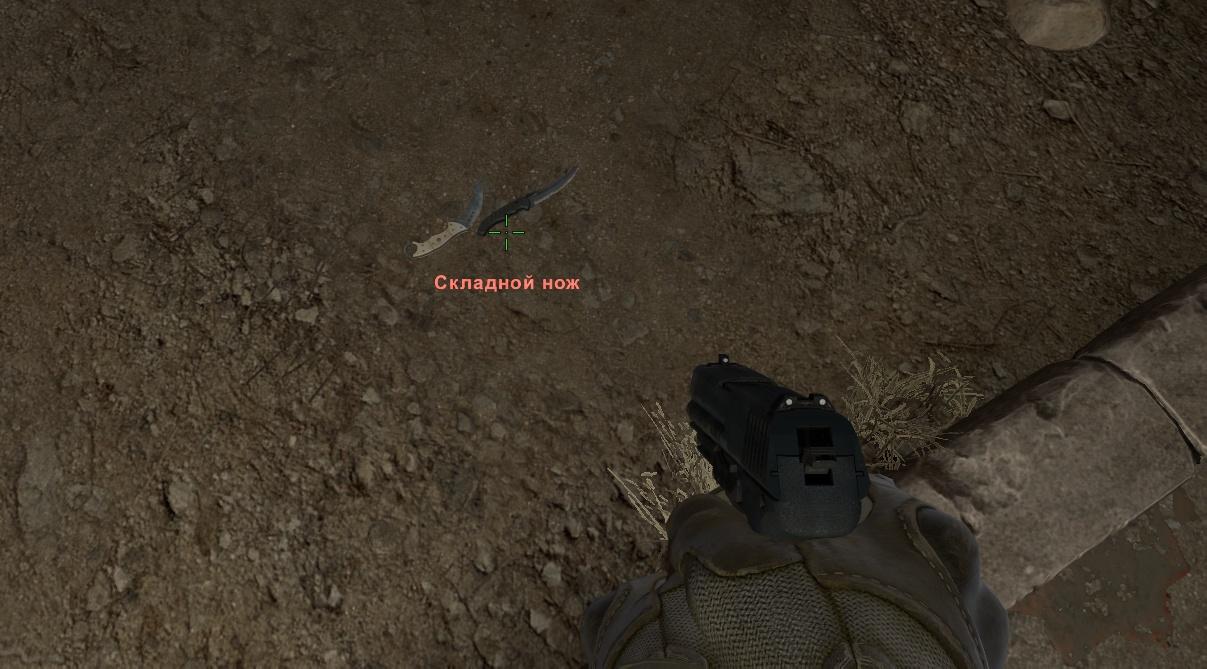
And here an experienced gamer would clearly sense something’s wrong, because knives can be dropped, but not picked up. Let’s fix that now.
Commands to Pick Up a Knife in CS:GO
To be able to pick up a dropped knife, follow these steps:
mp_drop_knife_enable 1
give weapon_knife_ursus (for example)
ent_fire weapon_knife addoutput "classname weapon_knife_ursus"
In the last line, inside the quotation marks, specify the same knife you previously dropped. It’s not the most convenient command to pick up a knife in CS:GO, but it must match the item exactly.
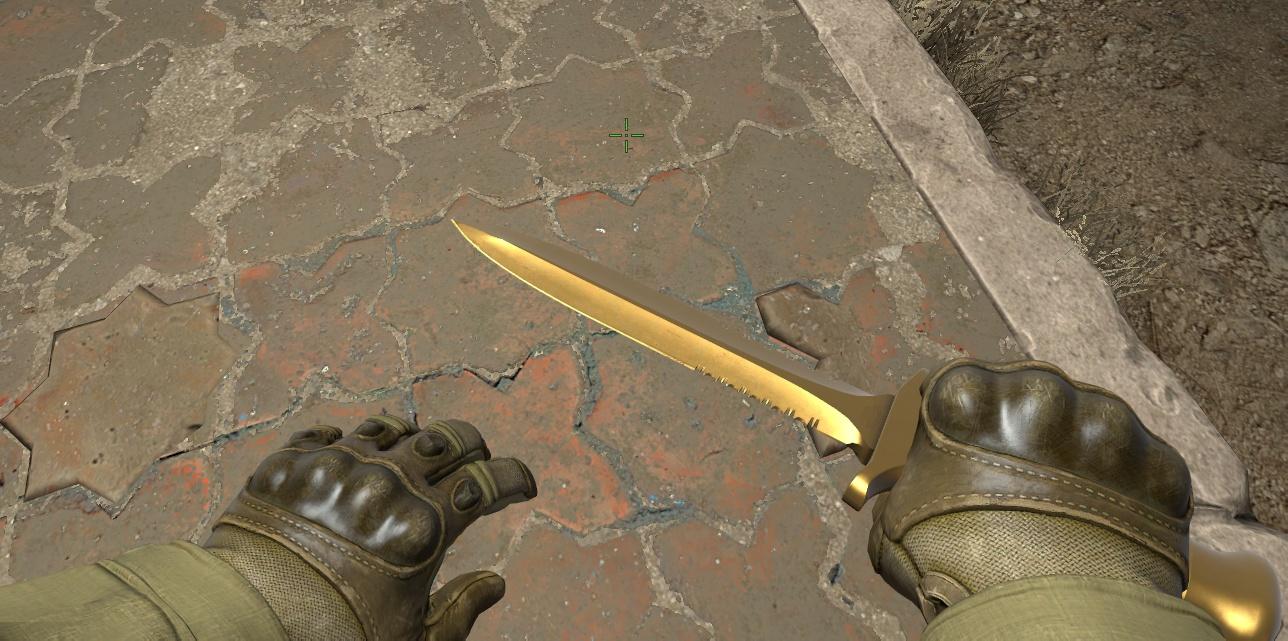
The general list looks like this:
Ursus Knife — give weapon_knife_ursus; ent_fire weapon_knife addoutput "classname weapon_knifegg"
Navaja — give weapon_knife_gypsy_jackknife; ent_fire weapon_knife addoutput "classname weapon_knifegg"
Stiletto — give weapon_knife_stiletto; ent_fire weapon_knife addoutput "classname weapon_knifegg"
Talon — give weapon_knife_widowmaker; ent_fire weapon_knife addoutput "classname weapon_knifegg"
Bowie Knife — give weapon_knife_survival_bowie; ent_fire weapon_knife addoutput "classname weapon_knifegg"
Shadow Daggers — give weapon_knife_push; ent_fire weapon_knife addoutput "classname weapon_knifegg"
Falchion — give weapon_knife_falchion; ent_fire weapon_knife addoutput "classname weapon_knifegg"
Butterfly Knife — give weapon_knife_butterfly; ent_fire weapon_knife addoutput "classname weapon_knifegg"
Huntsman Knife — give weapon_knife_tactical; ent_fire weapon_knife addoutput "classname weapon_knifegg"
M9 Bayonet — give weapon_knife_m9_bayonet; ent_fire weapon_knife addoutput "classname weapon_knifegg"
Bayonet — give weapon_bayonet; ent_fire weapon_knife addoutput "classname weapon_knifegg"
Flip Knife — give weapon_knife_flip; ent_fire weapon_knife addoutput "classname weapon_knifegg"
Gut Knife — give weapon_knife_gut; ent_fire weapon_knife addoutput "classname weapon_knifegg"
Karambit — give weapon_knife_karambit; ent_fire weapon_knife addoutput "classname weapon_knifegg"
To drop a knife — press G on your keyboard.
Giving Yourself a Knife Through File Editing
Not everyone manages to get knife commands working in CS:GO. Perhaps the console parameters were entered incorrectly. For such cases, there is a backup method, but you’ll have to slightly modify CFG files inside the client.
Important: be sure to create a copy of the original file so that the game doesn’t treat it as an illegal cheat, which could lead to a ban or prevent you from joining a match.
The configuration files are located at:
/steamapps/common/Counter-Strike Global Offensive/csgo/scripts
The root drive depends on where you previously installed the game. You can check it easily:
open the Steam client;
go to the Library section;
right-click the game and choose the option shown in the screenshot below.
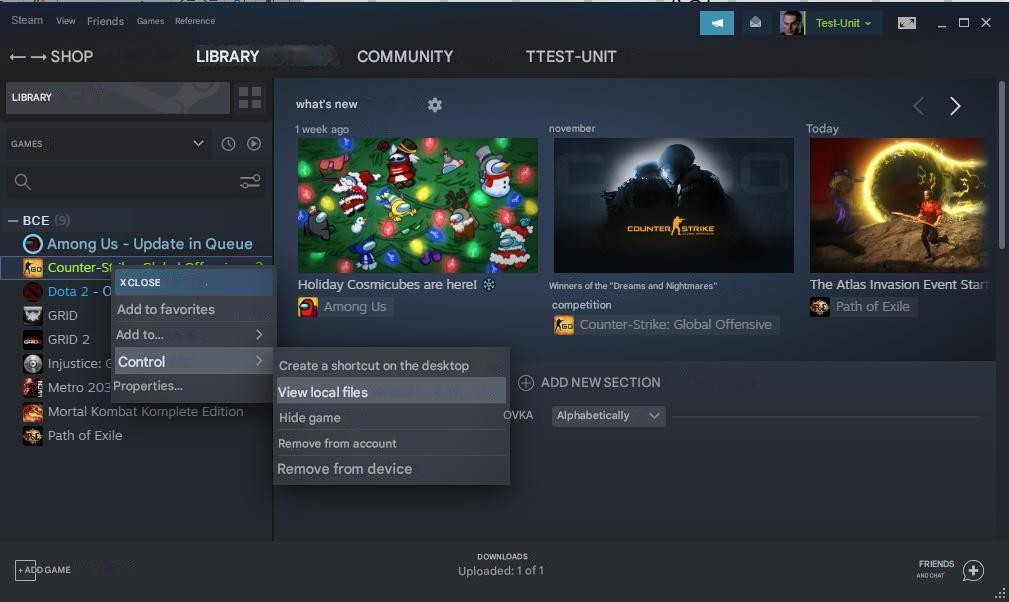
Eventually, the system will open the folder where the client is installed. You just need to find the script file.
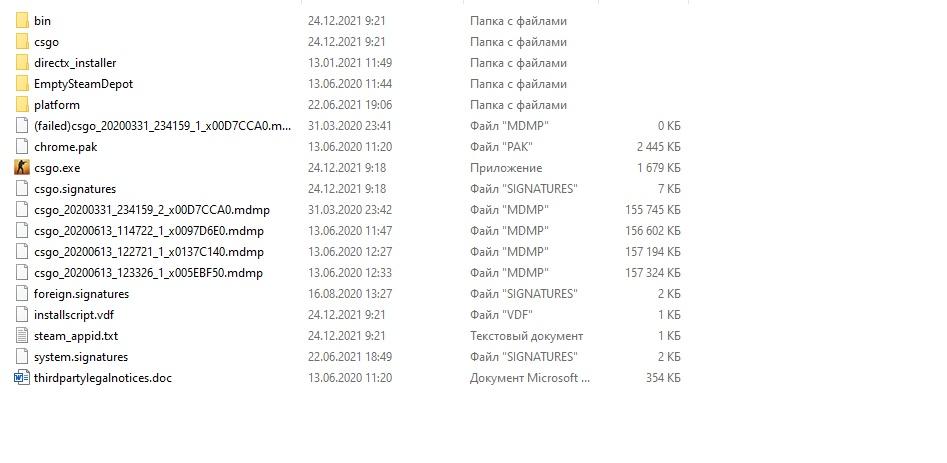
Now just open the weapon_knife file
Find the line MeleeWeapon and change “0” to “1”.
(on some clients the file may be missing)
Save and then launch the game, creating a solo server as described above.
If after training you decide to join matchmaking, we strongly recommend restoring the original parameter values. In the best case — the game will kick you out.
We hope these knife console commands in CS:GO help you better understand how to manage melee weapons to improve your skills as efficiently as possible.