Many people want to know how to give out any knife in CS 2. After all, skins for knives — this is quite an expensive pleasure in the world of Counter-Strike 2. Gamers who can afford it dream of it and literally monitor the appearance of expensive and rare copies on marketplaces. Well, more practical and pragmatic players are looking for the most budget-friendly options for skins for knives, which, at the same time, should be convenient and functional to use.
So what to do to get the coveted knife in CS 2? In this article we will talk about how to test your favorite knife skins for free, how to give a knife to your teammates for testing, and whether it is possible to get a free knife in a real game. Read our material to discover the advanced features of Counter-Strike 2.
Cheats to Give Yourself a Knife in CS 2
How to give yourself a knife in CS 2? To do this you will have to use cheats. Of course, not everyone knows what commands need to be written in order to use the most premium knives for free in CS 2. However, we will tell you about all the secret codes in order to play cool with expensive items for free.
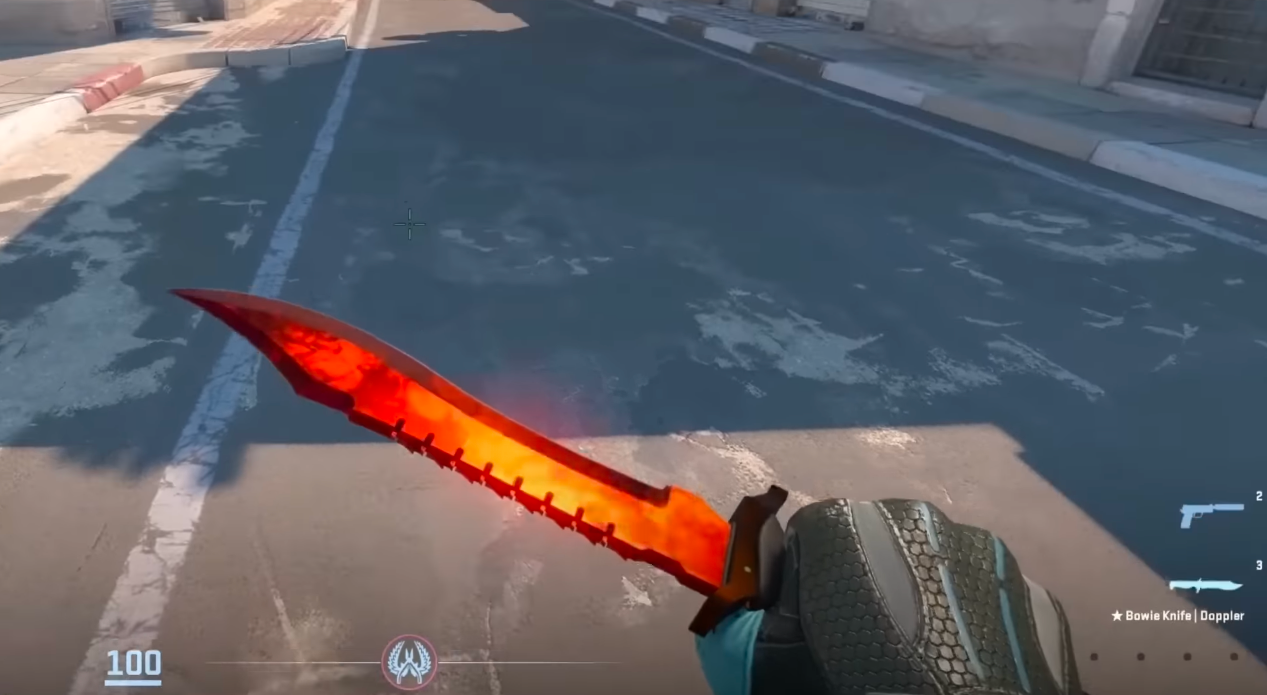
First, let's look at the advantages of cheats for knives. Using special codes, you can not only give out a knife to yourself. You can also give knives to friends. There is also a command for this: the knife must be thrown to the ground. The knife obtained using the cheat code can still be played. This is a big plus as it opens up great opportunities to try out a skin before purchasing it. Well, or you just get a chance to try out the rarest and most expensive skins.
Where Can You Give a Knife to Yourself and Your Friends?
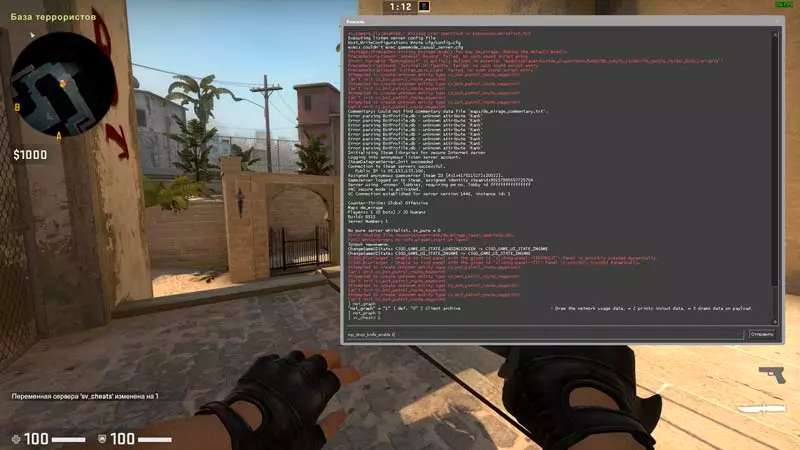
Fortunately (or unfortunately), weapons can only be obtained using cheats within the local server or on a training game map. But even here you can actively test all the capabilities of the desired copy. And in general, this is a good way to have fun and experience all the gaming variety.
How to Activate the Cheat Mode sv_cheats 1
To give a knife to yourself or a friend, you first need to activate the mode in which the cheats will be valid. As mentioned earlier, using cheats to issue any knife in CS 2 is only allowed on a local server or in training mode.
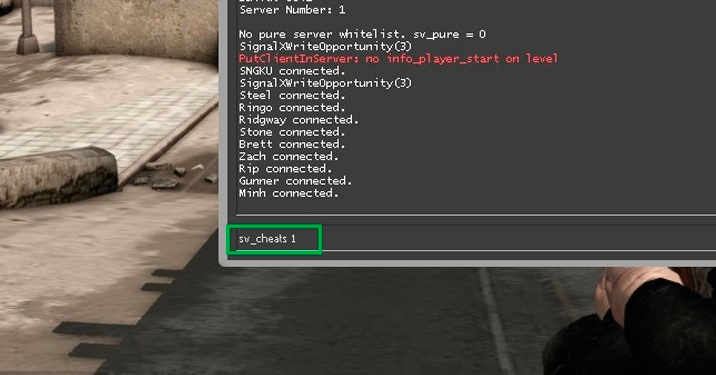
Therefore, before using cheats you need to create your own local server or you can join a ready-made server that allows the use of cheats. Then you need to open the developer console and enter the command: sv_cheats 1 or sv_cheats true. Choose one of the two. You can turn off this mode using the command sv_cheats 0.
How to Issue a Knife Through the Console
Perhaps at first this will seem like a difficult task to you. However, you should completely trust the instructions and carefully follow all the prescribed recommendations:
Before giving out a knife, you need to open the developer console and activate the commands: sv_cheats 1 and mp_drop_knife_enable 1. This must be done one by one.
If the instructions are completed correctly, then you can drop your knife with the command “G”. By picking up this knife again, the desired model will be in its place.
In this way you can get any knife. We will provide codes that will help you get other copies.
We remind you: this method is only relevant for a local server or training mode.
How to Open the Developer Console in CS 2?
To use the previous recommendations, you need to open the developer console. However, not everyone knows how to do this correctly. If you are a new player in Counter-Strike 2, then it will be useful for you to know how to open the developer console.
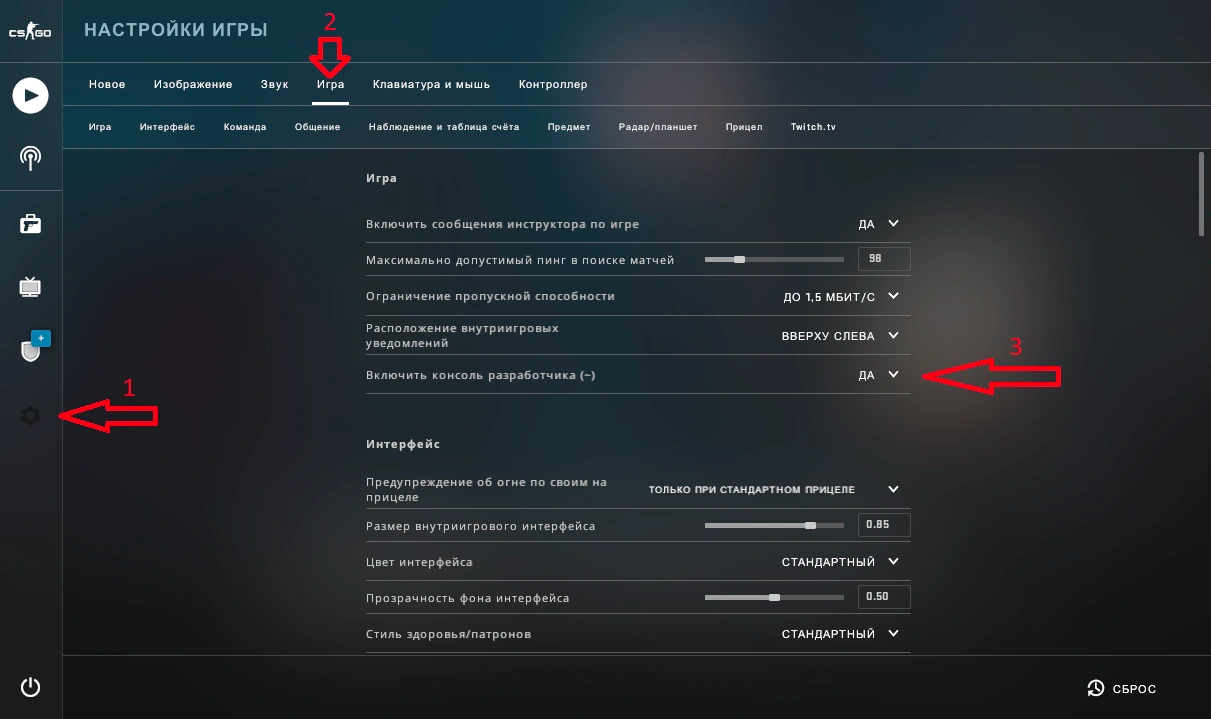
And so, to activate the developer console you need to go into the game and follow these steps:
Open the “Settings” tab;
Click on the “Game” tab;
Click “Yes” in the “Enable Developer Console” parameter;
After following these instructions, the developer console will open using the “~” sign. However, do not forget to make sure that your keyboard is set to English. If you use any other layout, calling the console will not work.
What Should I Do So That the Commands Do Not Get Confused When Starting CS 2 Again?
Sometimes after entering a command into the developer console, the settings get confused. This is normal and we will tell you how to deal with this annoying nuance. In order not to reconfigure the console every time you enter the game again, you just need to use the autoexec.cfg file.
This file makes it possible to save scripts, binds and commands in place. When you enter the game, they will automatically load themselves. So, let's find out how to create an autoexec.cfg file:
First, you need to find the folder with CS 2 configs on your computer. This can be done through the STEAM library.
Afterwards, right-click on the Counter-Strike 2 icon — select "Management" — then go to the “View local files” section.
Enter the “game” directory — "csgo" — "cfg". Inside the "cfg" folder create a text document and name it autoexec.cfg. It is important to make sure that the file extension is .cfg and not .txt.
You now have a file into which you can add your most commonly used commands. In order for it to automatically load when you start CS 2, make a change by adding +exec autoexec.cfg to the game launch options:
In the Steam library, right-click on Counter-Strike 2 and select “Properties”.
Go to the "General" tab.
To issue a knife in CS 2, it is important to know how to write a command for a specific skin. This is not difficult to do through the developer console.
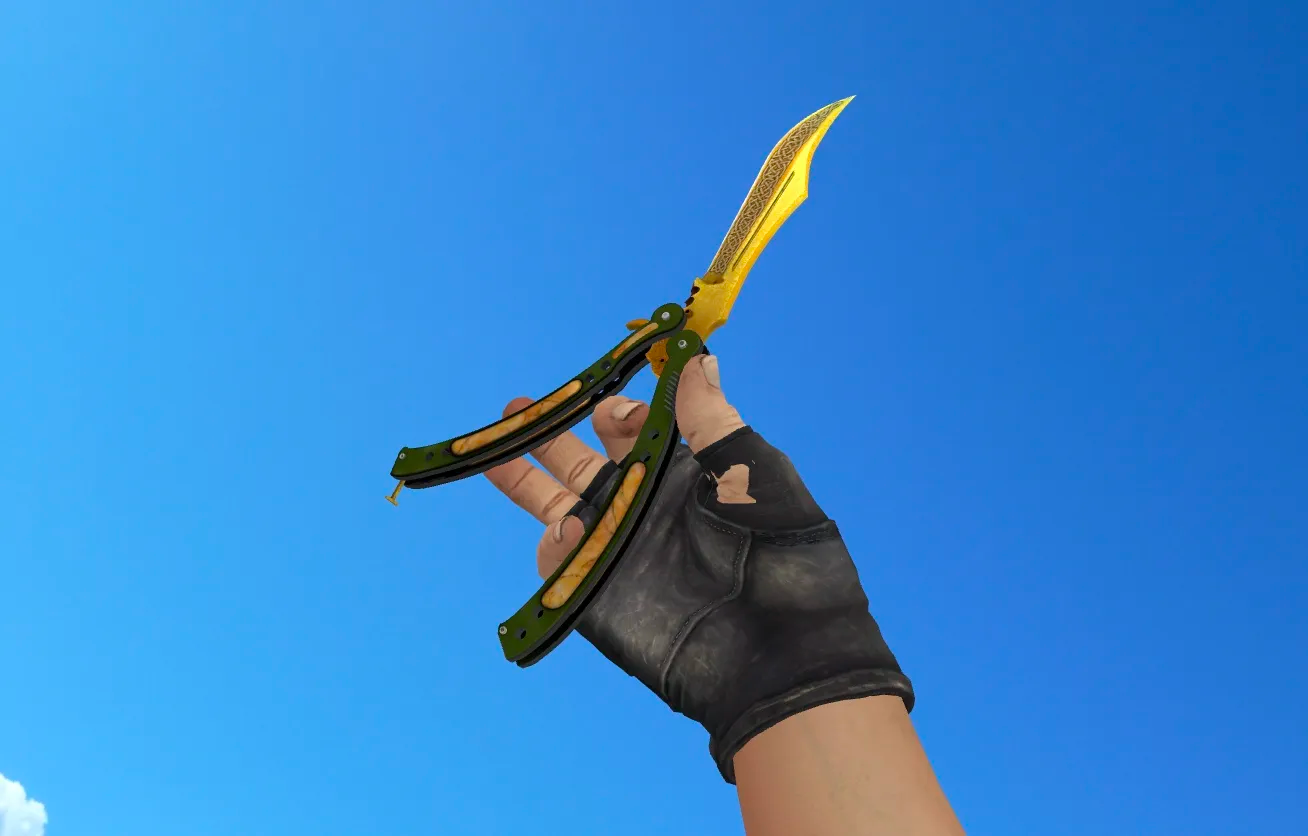
The fact is that not all players can afford certain skins. For example, a Butterfly Knife — this is a rather expensive model. Thanks to the unusual animation and gameplay, all Butterfly Knife skins are highly valued among CS 2 players. At the same time, the Kukri Knife — this is not yet a released item in CS 2. Of course, there are rumors that this skin is waiting for gamers in future updates. However, it is still not available right now. But you can use a Kukri Knife using cheat codes that allow you to play with a model of this knife from the game files. Therefore, feel free to use the codes. This will help expand the possibilities of the game and open up new sides for you. CS 2 has never been as interesting as with this feature!
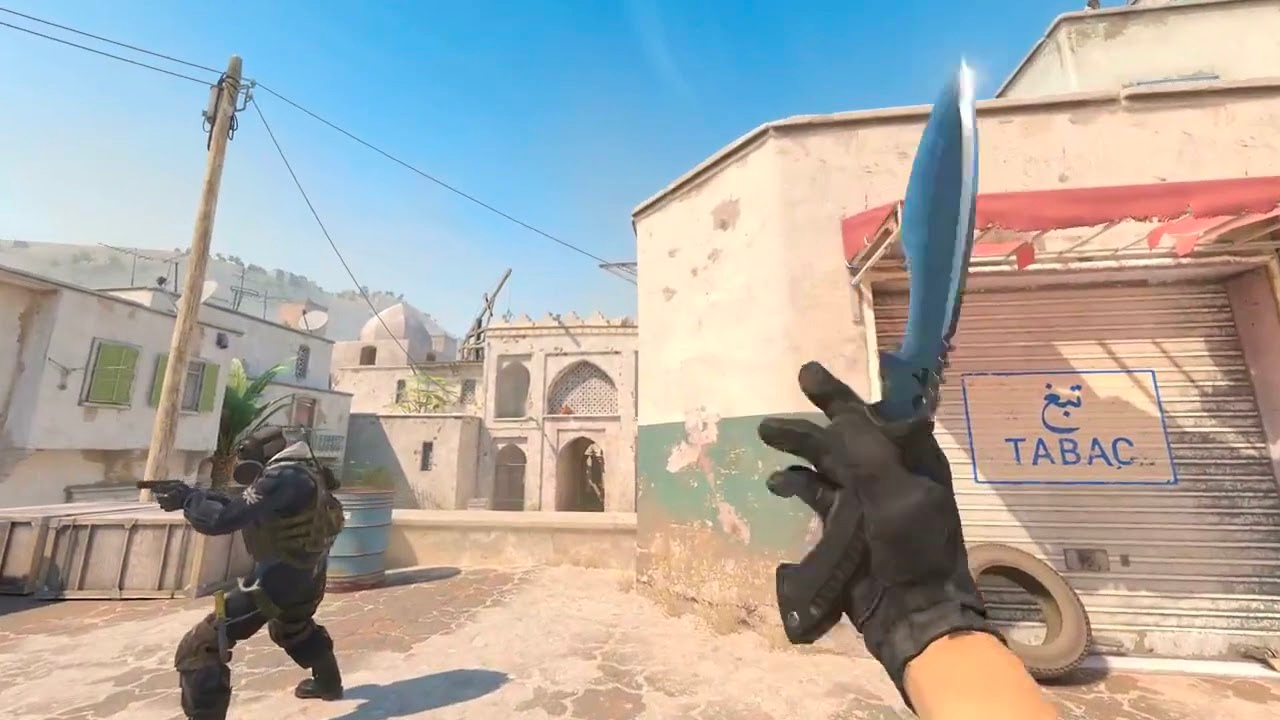
So, what do you need to do to get the desired knife model? To do this, you need to enter the command in the console: ent_fire weapon_knife addoutput "classname weapon_knifegg". Where "classname weapon_knifegg" — this is the name of the desired instance. Therefore, the answer to the question of how to give out a Butterfly Knife in CS 2 or how to give out a Kukri Knife in CS 2 is quite simple — you just need to enter the cheat code correctly into the developer console.
To try out other cool knives in the game, we recommend trying the following codes. As you can see, the cheat has a main, non-changing part and what we call the “name” — this part is variable. And so, you remember the weapon reset algorithm. After all the manipulations, you just need to pick up the knife from the ground.
Cheat codes for all knives in CS 2:
- Standard Counter-Terrorist Knife — give weapon_knife_ct;
- Standard Terrorist Knife — give weapon_knife_t;
- Bayonet — give weapon_bayonet;
- Flip Knife — give weapon_knife_flip;
- Gut Knife — give weapon_knife_gut;
- Karambit — give weapon_knife_karambit;
- M9 Bayonet — give weapon_knife_m9_bayonet;
- Huntsman Knife — give weapon_knife_tactical;
- Butterfly Knife — give weapon_knife_butterfly;
- Falchion Knife — give weapon_knife_falchion;
- Golden Knife — give weapon_knifegg;
- Bowie Knife — give weapon_knife_survival_bowie;
- Shadow Daggers — give weapon_knife_push;
- Ursus Knife — give weapon_knife_ursus;
- Stiletto Knife — give weapon_knife_stiletto;
- Navaja Knife — give weapon_knife_gypsy_jackknife;
- Talon Knife — give weapon_knife_widowmaker;
- Classic Knife (CS 1.6) — give weapon_knife_css;
- Skeleton Knife — give weapon_knife_skeleton;
- Nomad Knife — give weapon_knife_outdoor;
- Survival Knife — give weapon_knife_canis;
- Paracord Knife — give weapon_knife_cord;
- To pick up a weapon, do not forget to enter the code:
ent_fire weapon_knife addoutput "classname weapon_knifegg". By entering this code into the console, each player will be able to pick up the knife he needs.
Conclusion
Counter-Strike 2 — is a unique multiplayer game. In it, every gamer can find an immense amount of varied content. From a wide variety of weapons and skins to all sorts of loopholes and moves to improve your own gaming experience.
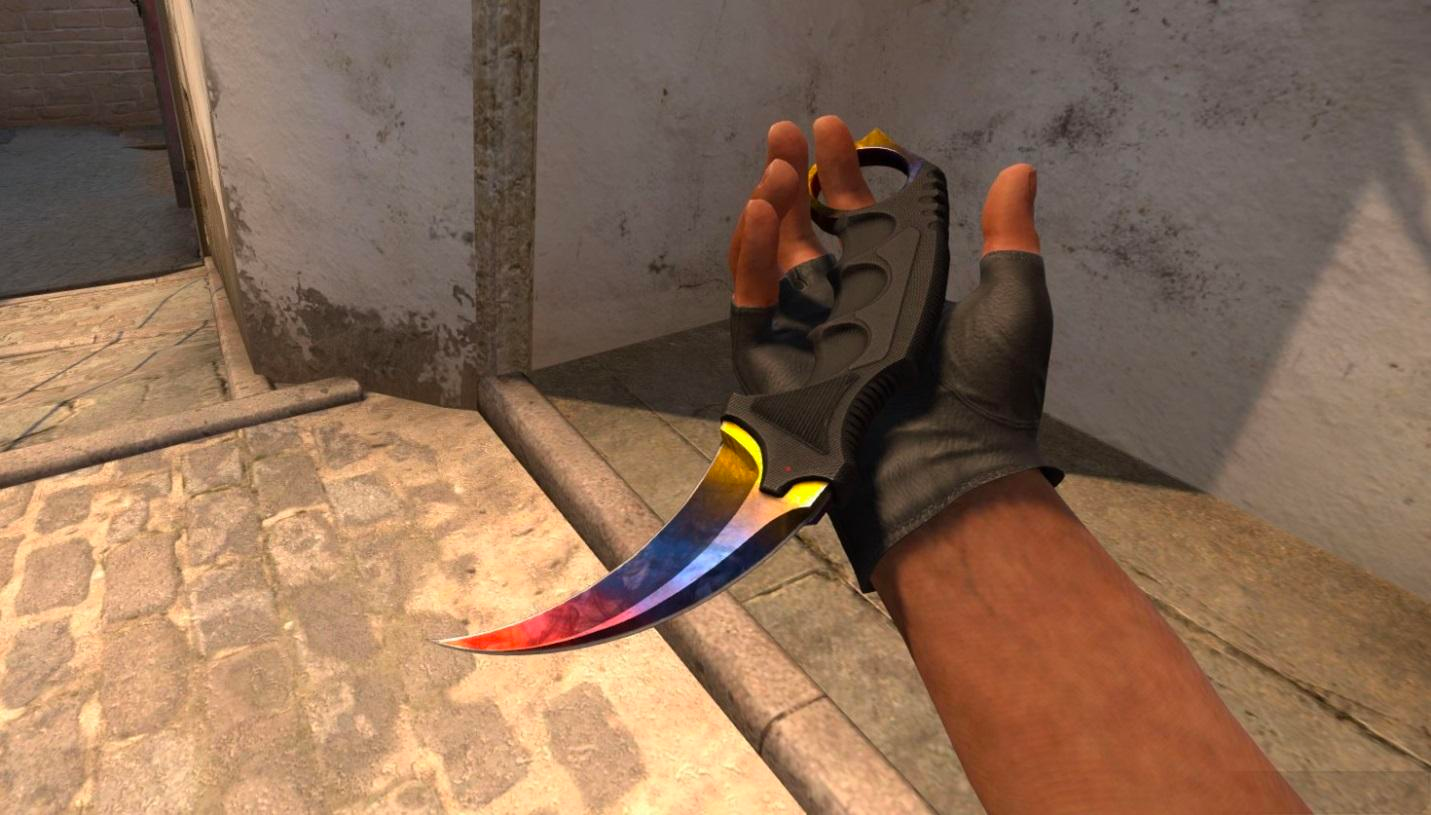
We advise those who are interested in game models of melee weapons to take a closer look at this guide. There are so many different status and popular knives in CS 2, which not every gamer can afford to try. But with the help of our guide, every player will get these incredible sensations from the game. Using codes to get different knives, you can not only play with the rarest models for free, but also choose the right weapon for yourself.
Playing with cheats helps expand your perception and go beyond the boundaries set by the developers. Allow yourself a little more with thoughtful codes for the developer console. Try all the coolest weapons in CS 2 with our guide.
FAQ
1. Is it possible to use cheat commands on the official server?
Absolutely not. Such practices are prohibited and the player faces a ban for using cheats in competitive mode or on official servers. The fact is that this is a gross violation of the rules of the game.
2. How to get a standard knife back after using cheats?
To get everything back, after using the console commands, you should reset the current knife and just pick it back up. When you pick up the knife, you will see the standard model that you had before using the special command.
3. How to give yourself a Butterfly Knife?
In order to acquire a Butterfly Knife in the world of CS 2, you must first activate the cheat mode using the sv_cheats 1 command. Next, free up your knife slot by using the mp_drop_knife_enable 1 command, and then pick it up. Use one of the following commands corresponding to the selected type of Butterfly Knife: for the standard one — subclass_change 515.
4. Why use cheats for knives?
In fact, with such commands, many opportunities open up for the player. For example, you can choose the ideal bladed weapon for yourself and subsequently purposefully purchase it. Well, or you can just spend time on your own or with friends going through different models and testing them.
5. Is it possible to write a command to give yourself the rarest knife?
Of course you can. It all depends on the player's imagination and desires. With cheats you can give yourself both regular models and the most expensive ones.
6. Will I still have the expensive knife that I gave myself with the help of the command?
Unfortunately, this is not possible. The weapon model will immediately disappear and return to its original state after you drop the knife. The cheat code helps you become familiar with the model, but you cannot get it forever using a cheat.
7. Is it possible to test other types of weapons or just knives?
In CS 2 there are codes to change your weapon to any other. For example, you can use a cheat to change skins for rifles and other types of weapons. But it is worth noting that all commands only work when sv_cheats 1 is enabled.