Knowing how to enter the workshop in cs 2, you can diversify your gaming experience with various additional modifications from the community. The Steam Workshop is a section that includes a huge amount of game content developed by players. There you can find custom maps and skins.
If you are tired of regular maps and modes, we recommend going to the CS2 workshop, where you will find new interesting maps that will brighten up your gameplay. The amount of additional content in the workshop exceeds hundreds of thousands of cards and skins.
How to enter the CS 2 workshop
The actions required to enter the CS 2 workshop are no different from the previous part and from other Steam games in general. There are two ways to open a workshop.
Normal:
After authorization and logging into your Steam account, you need to open the library section.
After this, a list of games will appear on the left side of the screen. Find CS 2 or any other game you are interested in and select it.
The game page will open, where the “Workshop” section is located. Clicking on the name will take you to the workshop.
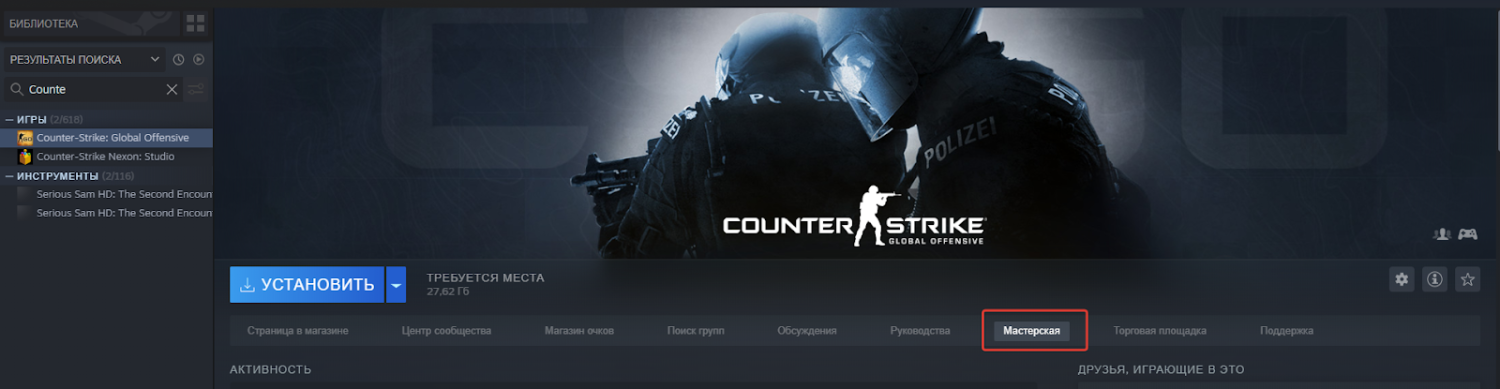
There is an alternative way to enter the cs 2 workshop. Open the main page of the store and go to the community tab. It's in the Steam header. After that, find “Workshop” in the drop-down list. You will be taken to the workshop page where there is a search field. Using it, you can go to the workshop of a specific game.
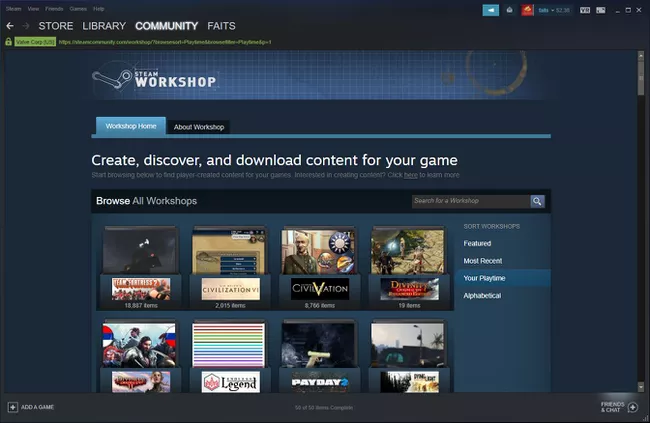
How to install content from the workshop on Steam
If you were able to figure out how to enter the cs2 workshop, then you will see countless new maps, modes and other content created by community members.
It remains to figure out how to install new add-ons for cs2. In fact, this is much simpler than it might seem at first glance, because the Steam functionality allows you to not have to worry about finding the necessary folders and downloading files from third-party resources.
To install a map or other content, you need to find its page in the workshop, open and subscribe by clicking the button next to the name of the additional content. After subscribing, Steam will automatically install the add-on without the need for your intervention. Having launched the game, the add-on will already function and can be used, for example, new maps can be launched on a local server just like regular ones.
Why install maps in CS 2
Each CS:GO player knows about the existence of various training maps from the workshop. It's hard to overstate the importance of master cards. Every day modders create unique content that you might like.
First of all, it is worth noting that cards help in honing your skills. A wide variety of aim cards will help you finally increase your rank in matchmaking, or at least increase your KDA.
In addition to AIM cards, the workshop has cards that allow you to learn prefires and basic positions. If you know the positions for the prefire, then you will no longer be killed by campers during your movement, because you will get used to pointing the cursor at the approximate location of the enemy even before leaving the wall.
How not to get confused in subscriptions
You found an interesting map and added it, and then you came across another one and after a couple of weeks the number of custom maps in your subscription exceeds three digits number. In such cases, it is difficult to keep track of your subscriptions in the workshop.
Valve took this into account and added a “collections” feature that allows you to sort your subscriptions into separate groups and even install collections of additional content from other players in one click, without the need to download everything separately.
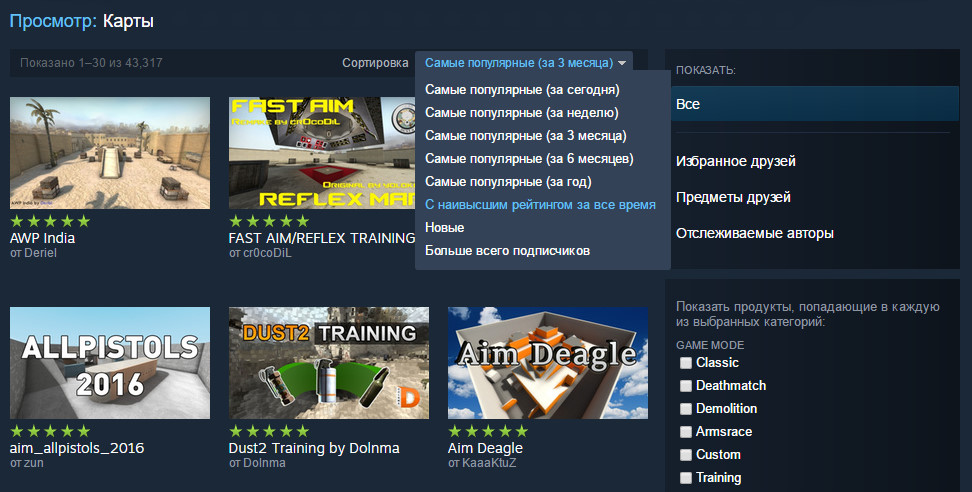
If you are an active user of the workshop, we advise you to regularly clean your subscriptions and delete irrelevant content, so that it does not interfere with keeping track of updates to cards or skins that interest you.
The ability to use and enter the cs 2 workshop is useful not only for online shooter players, but also for all users, because most games on Steam support interaction with the workshop, and this in turn makes the game unplayable, you can install a couple of updates and give the game a second wind. Or maybe you want to provide a unique gaming experience to other players and become a modder?
Variety of Master Maps
Master maps reach a wide audience. Those who are focused on learning new skills and those who just want to have fun with friends in their favorite game can find interesting content for themselves.
Training cards
When you go to the workshop in cs 2 you can find cards for practicing throws. At low ratings, a large number of players either forget about the existence of grenades, or remember about them, but use them incorrectly. Knowing how to competently manage such a resource as grenades, you significantly increase your chances of winning.
Any exit to the site is accompanied by flash drives and smokes, it is equally important to be able to throw grenades and opornika, because he often has to fight off superior numbers of opponents alone, and doing this without grenades is very difficult. Using fireworks and smoke, you can limit your opponent’s maneuvers or develop your own.
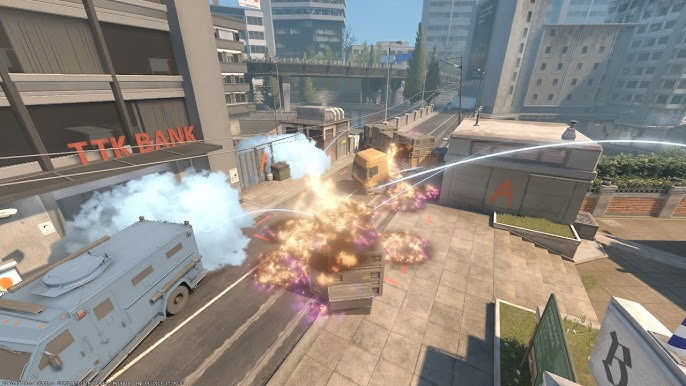
The functionality of cards for training throws allows you to track the full trajectory of a grenade using a track trace, or you can follow the trajectory using a camera. Various tips and markers will show the main layouts that are used even on the pro stage; you won’t have to scour the Internet trying to find current positions for layouts.
Cooperative maps
In addition to educational maps, by going to the cs 2 workshop you can find entertaining content. For example, in CS:GO, thanks to YouTubers, the hide and seek mode has gained popularity. Maps were specially made for this mode, had places for hiding places and various Easter eggs.
A large number of maps will not leave you and your friends indifferent, you can find a map suitable for you and take your mind off heavy rating games. There are cards with unique mechanics and even a plot that can drag you in. You can fight corporate secrets, shoot at enemies from a moving car, or fight hordes of zombies during the apocalypse.
Cards for setting up the config
If you go to the cs 2 workshop, you can find cards for setting up your client. Modders suggest that you do not rummage through the settings, trying to adjust the size and color of the sight, but take a ready-made one or use more convenient methods of adjustment.
A new color of the sight or its shape, the position of the hands and other little things seem insignificant, but even small changes can add freshness to the gameplay or increase comfort; rarely does anyone use a standard sight.
Often on such maps it is possible to place the same sight, radar size and interface color that pro players use. The list and settings are updated there regularly, so you can easily find the current settings of your idol from the professional scene and install them for yourself.
What will happen to master maps in cs2
The recently released sequel CS:GO has a new engine, which frees up the hands of modders more. First of all, we should expect new concepts and richer visuals, which are much ahead of the previous part.
You will have to be patient, because the new engine still needs to be mastered. At the moment, the number of custom maps and their implementation in CS2 cannot be compared with CS:GO, but in the future we expect new, and most importantly, high-quality content with new mechanics and beautiful cut scenes.
The best map from the workshop for training
If you go to the CS 2 workshop, you will notice the fact that there are catastrophically few training maps. Currently, the best card to improve your skills is Aim Botz. The creator of this map transferred it from the CS:GO engine to the new Source 2. On this map it is possible to play out game situations with bots, which are often found in ranked matches.
Before the release of CS2, this map could not be downloaded through the workshop and you had to use third-party resources and look for the necessary folders to move the files cards to your client. Now the csgo sequel has access to community content and all this is done in one click.