The instant withdrawal feature is back on LIS-SKINS — now you can sell your CS2 skins and receive money in just minutes, without waiting for the 8-day Steam Trade Protection period to end. This is a key update for those who value speed, transparency, and convenience.
What Has Changed?
Previously, after selling skins, users could only receive funds to their internal site balance and had to wait up to 8 days before being able to withdraw. That’s no longer the case: you can now instantly withdraw funds to your selected payment method if the eligibility requirements are met. You choose where to receive the money — bank card, e-wallet, or cryptocurrency.
Who Can Use Instant Withdrawal?
The feature is available to users who meet basic safety and activity requirements:
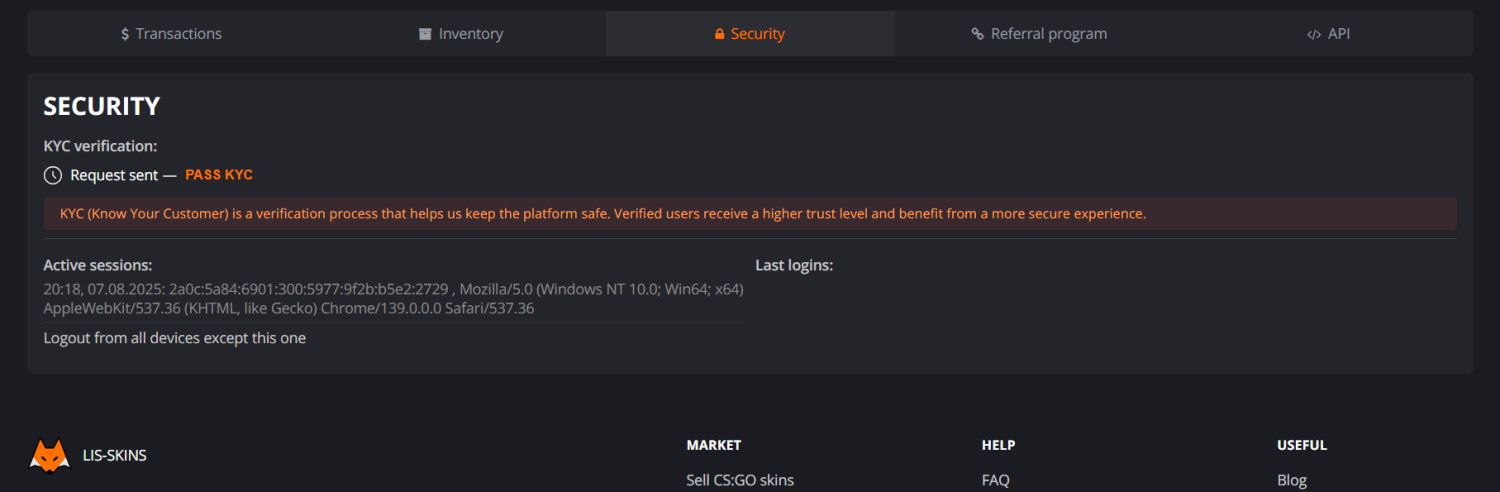
Completed identity verification (KYC). Available to users over the age of 16.
Made sales totaling at least $50 (cumulative, not necessarily in one transaction).
The transaction amount does not exceed the current instant withdrawal limit.
How Does Instant Withdrawal Work?
The instant withdrawal option applies only to skins sold with payout directly to the method you selected. If funds are already on your internal balance but are subject to Steam’s 8-day protection period, they cannot be withdrawn instantly.
Key terms:
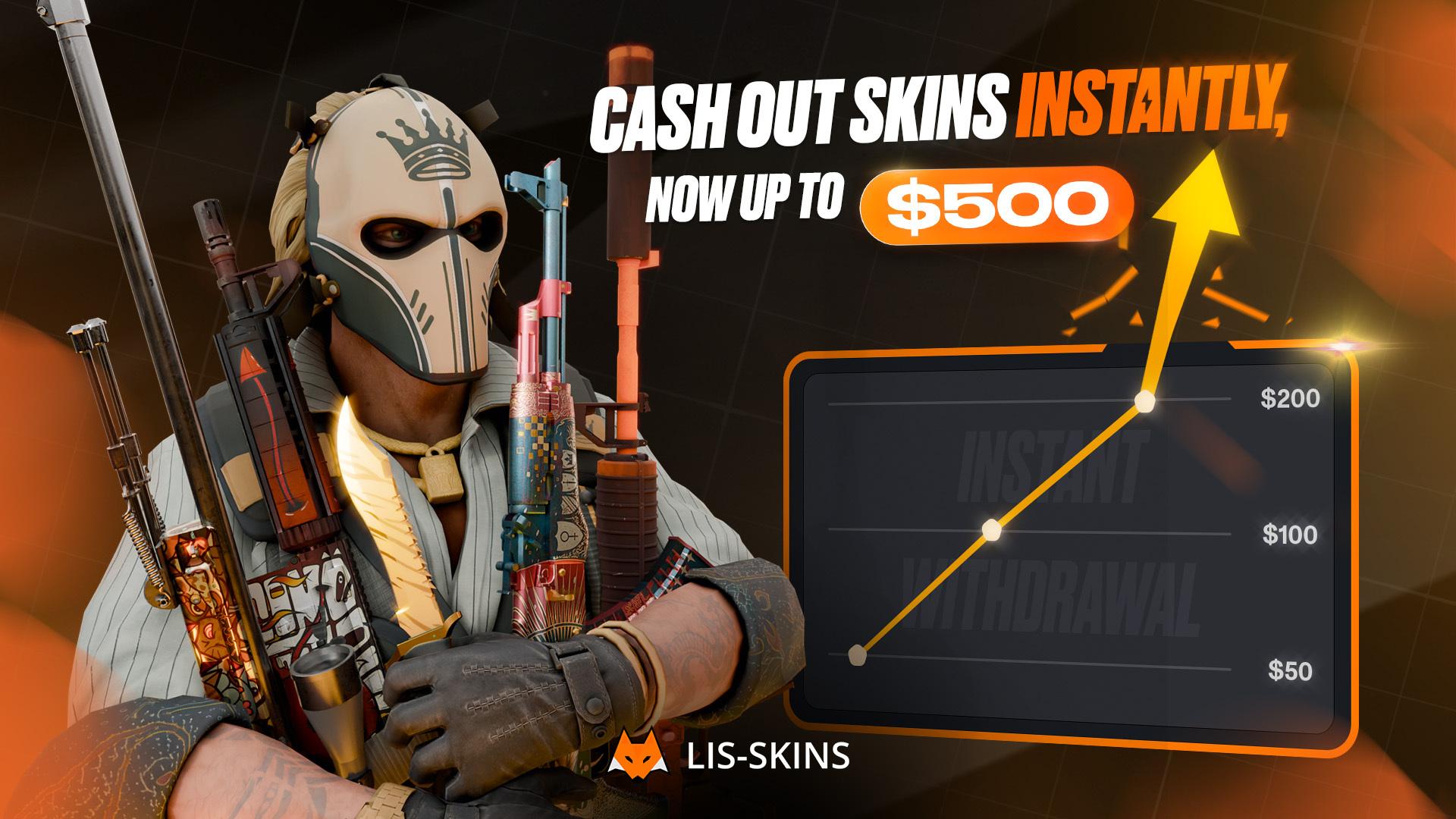
You can instantly withdraw up to 10% of your total sales volume on LIS-SKINS.
The maximum limit is currently $500, even if your total sales are higher.
The limit refreshes automatically once the 8-day Steam Trade Protection expires on each new transaction.
With active use of the service and compliance with trading rules, your limit may increase, and more flexible withdrawal terms may be applied to your account.
Example: if you’ve sold skins worth $500, you’re eligible for an instant withdrawal of up to $50. If you’ve already used the limit, you’ll need to wait for the Steam protection on your next sales to end in order to regain access.
Why Might Instant Withdrawal Be Unavailable?
The feature may be temporarily unavailable in the following cases:
You haven’t completed verification or haven’t reached $50 in total sales yet.
Your limit has already been used — you need to wait for Steam protection on new sales to end.
The transaction amount exceeds your current limit — in this case, choose skins with a lower total value.
Access to instant withdrawal has been disabled due to service rule violations. Learn more about reasons and consequences in our FAQ section.
How to Use Instant Withdrawal
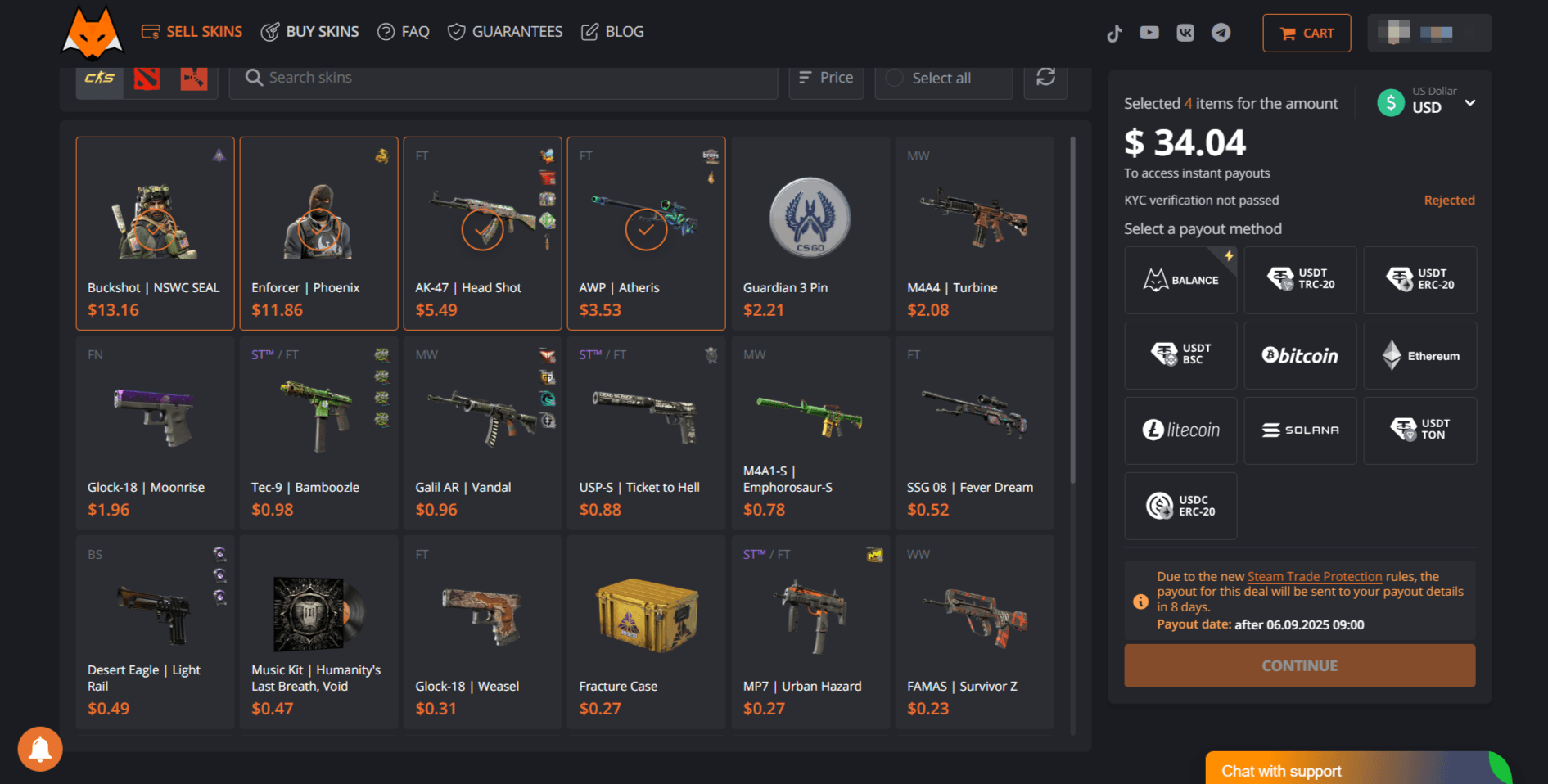
Select the CS2 skins you want to sell.
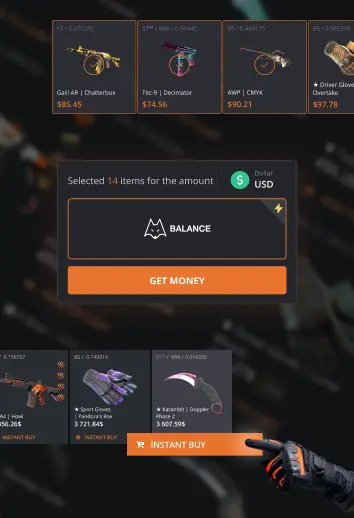
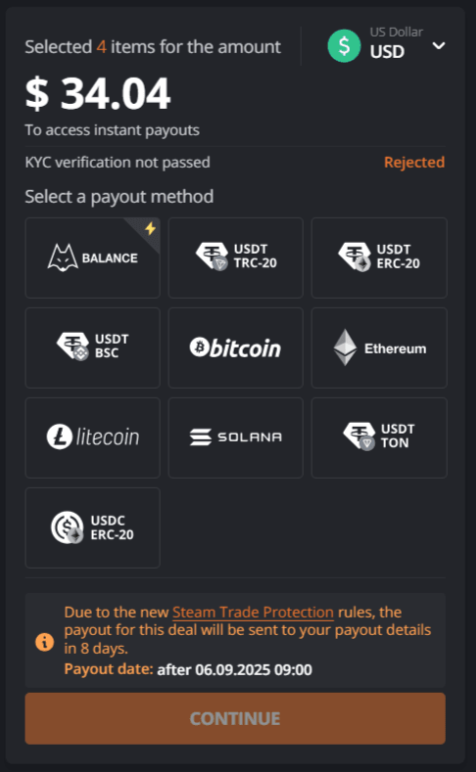
On the right side of the interface, you’ll see the amount available for instant withdrawal (if not shown, the requirements haven’t yet been met).
Make sure the total deal amount fits within your available limit.
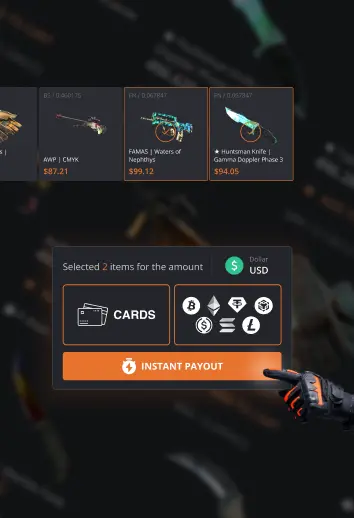
Choose your preferred payout method: bank card, crypto, or another available option.
Confirm the transaction. Funds will arrive in your account within approximately 5 minutes.
Why Is It Convenient and Safe?
Now you can:
instantly receive real money for your sold skins;
avoid waiting 8 days as before;
withdraw funds to any convenient method without delays or restrictions;
quickly manage your finances, especially if you trade skins actively;
be confident in security — all transactions follow AML/KYC and verification procedures.
Instant withdrawal is the perfect solution for those who value their time and want to get paid for skins without unnecessary delays. The feature is now available to all users who’ve completed verification and reached the minimum sales threshold. Monitor your limits, follow the rules, and get paid in just a few minutes.
FAQ: Instant Cashout — Frequently Asked Questions
I’m selling a skin for $120, but my instant cashout limit is $60. Does that mean I’ll get $60 instantly and the rest later or to my site balance?
No. In this case, instant cashout won’t be available. The total transaction amount must not exceed your current instant payout limit. To receive funds instantly, select skins worth less than your limit.
Where can I see my instant cashout limit?
On the selling page, just below the total transaction amount. The limit will be displayed if you’ve already completed KYC and reached the required sales volume.
How can I check my total sales on the site?
On the selling page, hover over the lightning icon next to your total. Under the "Minimum sales volume" section, you'll see your current progress and whether the requirements are met.
If I sell skins to my site balance, can I cash out instantly?
No. Funds on your site balance can only be withdrawn after the 8-day Steam Trade Protection period. However, you can use that balance right away to purchase other CS2 skins on the marketplace.
My instant cashout limit just became available. Can I apply it to a previous transaction that’s still pending?
No. The instant cashout feature is only available at the time of sale. It cannot be applied retroactively to previous transactions or to funds already on your balance.
I’m a new user, completed KYC, and selling a skin for $100. Will I get the full $100 instantly?
No. In addition to completing KYC, you also need to meet the minimum sales volume requirement. Only sales that have already passed the 8-day Steam protection period count toward this.
My instant cashout limit is $500. Does it apply to unlimited transactions?
No. The limit decreases with each use and is replenished after the 8-day Steam Trade Protection period ends for your new sales.
I’ve met all the requirements, but I’m not sure if a specific transaction will be paid out instantly or after 8 days. How can I check?
Once you select the items for sale, the information updates automatically. If the total is within your available limit, a yellow ⚡️ icon will appear next to the amount, along with a “Payout without delay” block. This section will also show how much is currently available for instant cashout. If the transaction doesn’t qualify, you’ll see a message stating that payout will occur after 8 days.
Is it safe to complete KYC on LIS-SKINS? Who can access my personal data?
Yes. KYC is processed through a certified third-party provider. Your data is protected in compliance with international security standards and is never shared with third parties.
Can I skip KYC if I don’t want to submit personal documents?
Yes, but instant cashout will not be available without KYC. You’ll still be able to sell skins with a standard 8-day payout or use your balance to purchase items on the site.
Try instant withdrawal today — only on LIS-SKINS.