Many people are interested in the possibility of team play in Counter Strike 2, so today we will talk about how to play CS 2 with friends. This option allows you to fully appreciate the potential of the legendary shooter: you can add friends, set up private matches, and interact tactically as a team.
All possible methods of team play for CS2
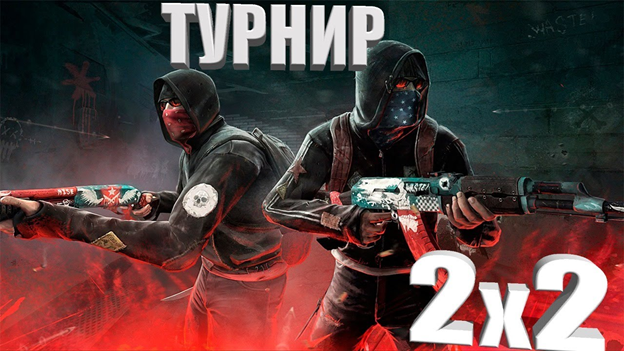
You can take part in the game as a team using the following methods:
Official lobby. In this case, you can play in different modes: competitive, normal, premium, etc.
Creating your own server.
Selecting a suitable battle among those available on the CS2 developer’s servers.
Community servers, which have skins, teams and many other features that allow you to play CS2 with friends.
We'll tell you more about each method.
Official lobby
Lobby in CS2 – it is a gathering place for players. Creating one is very simple: you just need to invite a friend from your list. Once the invitation is accepted, a lobby will be created.
A lobby in CS2 can be open or closed. In the first case, absolutely any participant can join the game. You can also play CS2 with friends in a closed lobby: in this case, only those who know the password or players who have been sent an invitation can become a team member.
Pay attention to the lobby restrictions:
You can only gather 5 players. More precisely, you can collect more, but you will not be able to start searching for a rated game if the number of participants exceeds 5.
For prime status, it is required that all five players have prime. If four people have it, but the fifth one doesn’t, then you won’t be able to start the prime mode or a ranked match.
You can select a lobby yourself if you couldn’t play CS2 with friends, since everything is offline. To do this, you need to:
select the “Play” option;
set the appropriate mode;
select the “Search for players” option;
go to “Search for a team for competitive games";
invite everyone who is suitable for the team according to your criteria.
When you are looking for comrades for a team game, you yourself appear in the search. This means that you can also be sent an invitation.
When you are in the lobby, inviting a friend to the game is very easy: just left-click on the teammate you are interested in and select the left button under his profile ("Invite").
To play CS2 with friends in the lobby, you can use console teams. One player from the team must serve as a host, namely – run the map through the workshop. After that, the following commands are entered through the console:
sv_cheats 1 (for using various cheating commands);
sv_lan 1 (the command allows players to join the game by IP address);
amx_cvar sv_password «value» (setting a password, instead of “value” indicate the password you created).
Creating your own game
You can create your own server in order to play CS2 with friends. The dedicated space will allow teammates to play and train together.
First of all, you will need to find out the exact model of your router and find instructions for accessing its interface in the browser. After this, you need to follow the following instructions:
Open port 27015 on the router.
Create a shortcut that will lead to the installation file on the PC.
Right-click on the shortcut to bring up its properties. Next you need in the “Object” line: after the designation CS2.exe and the closing quotes, put a space and add the text -dedicated -usercon +game_type 0 +game_mode 1 +map de_inferno. Instead of de_inferno, you can specify the name of any map on which you plan to play.
Launch Steam, go to the library, launch CS2 through it.
To play CS2 with friends, open the shortcut that you previously created yourself. After this, the console will open.
Expand the game itself, open the console in it and enter the connect localhost command. It will only work if both the console and the game were launched on the same PC.
Go back to the console that you opened in step 5. Here you need to enter the status command.
When the data appears, find the udp/ip item among them and enter here the same IP address that is indicated next to it, in brackets with the word public.
After this, to start playing CS2 with friends, provide your IP address to the players. They will be able to take part in the game after entering the connect command and the IP address you specified into the console.
Creating your own server via RADMIN
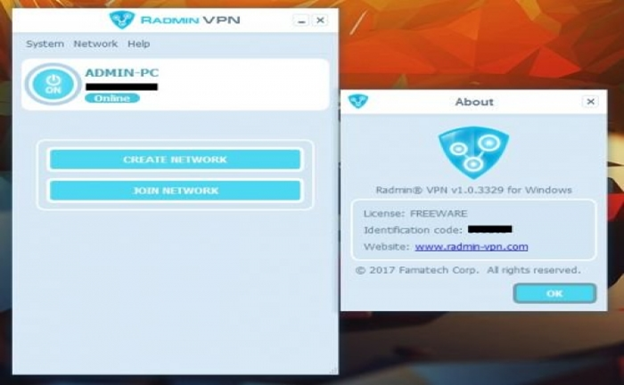
This method is simpler than creating your own dedicated server.
Radmin – is a free and easy-to-use program that allows you to create virtual private networks. To use it to create a server in CS2, follow these steps:
Download Radmin, install all components.
Launch the program, then select the “Network” tab. at the top.
Select the “Create a network” option, enter any name and set a password.
Start the game to play CS2 with friends and create a server. Please note that there will be bots present.
A friend who plans to join the game will also need to download the Radmin program on their PC. Next, after installation and launch, the creator of the dedicated network must select “Network”, click “Join network” and enter your friend's details. After that, he copies the IP address and goes to CS2, opens the console and enters the command connect [ ] (in square brackets you need to indicate the friend’s IP).
Participation in community servers
You can take part in community servers together with your fellow players. There are many maps and opponents waiting for you here. If you are planning a 1v1 match, but do not want to create a private server, do the following:
Open the menu in the game.
Select “Community Servers.”
Filter the results (in your case, “1v1” or "duels".
Public servers provide players not only with a large selection of maps and players, but also rating systems to track progress and participation in the competition.
How to play 1 on 1 in CS2?
By playing this one-on-one shooter, you get good experience, which will later lead to victory over rivals. In order to play this way, you will need to create a private server. The dedicated space will allow you to fully control the game settings: mode, tournament maps, the use of console commands that are used for such fights.
To create a dedicated private server, you need to:
Go to the developer menu. In this console you have access to various commands that will help you organize a competitive match on regular tournament maps. To turn on the console, you need to go to the game settings and press the “~” key.
Select the map on which you will play CS2 with friends. You can choose any tournament map from the standard list of offers, or a 1v1 map that was created by the community and can be opened in the Steam Workshop.
Customize your own server settings for a couple of players. In particular, it is recommended to set a specific round and freeze time. To change the duration of each round, use the mp_roundtime console command, to change the freezing period at the beginning of the round – mp_freezetime.
Remove bots from the game to remove unnecessary distractions for a productive fight. To do this, use the bot_kick command in the developer console.
When playing CS2 with friends 1 on 1, you can use various useful commands.
Interesting maps for playing with friends
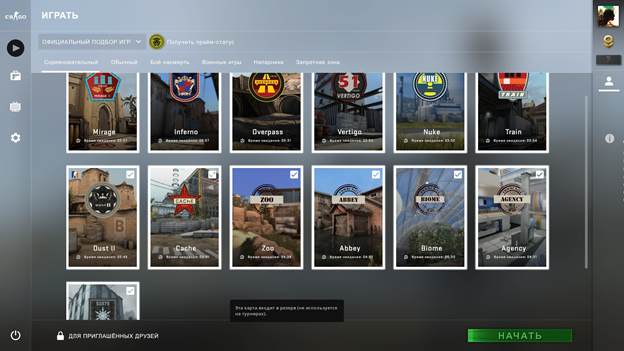
The following cards will be interesting for playing in a company:
Railway. In the story, you are hired to infiltrate the Parker Construction Materials train station. to steal illegal substances. The situation is aggravated by the fact that the police have already arrived at the scene. Recommended number of players on the map – from 2 to 6.
M.p.g.w. (Horror). This is a puzzle map that will appeal to fans of horror style. Up to 3 players maximum can take part here.
Zombie Survival. Zombie survival map
Truck Wars. The map is based on the plot of the movie Mad Max. It will appeal to those who want to play CS2 with friends and have rides on different types of transport.
Recommendations for playing CS2 together
To succeed in the game with friends, remember a few rules:
Formation and adherence to a unified strategy. Each player must know and understand the overall goals of the entire team. By planning together before a game and discussing strategies, the team can develop strategies more effectively and be more in sync during the game.
Collaboration. Communication is very important in a cooperative game. You can interact with other team members via voice or team chat. Good communication – This is not only timely and correct presentation of information, but also the ability to listen to other participants, as well as respond adequately to their suggestions.
Continuous improvement of skills and knowledge in the game.