A lot of players put this off until the last minute – and end up regretting the matches they miss. The answer to how FACEIT verification works is simple: you need a smartphone with a camera, a valid government-issued ID, and at most 15 minutes. The process is completely free, and without the badge on your profile getting into serious CS2 matchmaking is increasingly difficult – since November 2025, FACEIT has made identity verification a mandatory requirement for Premium Match.
Why Does FACEIT Verification Exist and What Does It Get You?
The platform didn't introduce this system for the sake of bureaucracy. The main goal is fighting smurfs and account selling. FACEIT operates in partnership with Daon – one of the global leaders in digital identity with 20 years of experience, verifying 250 million accounts daily worldwide. One person, one account. Simple principle, serious consequences for the ecosystem.
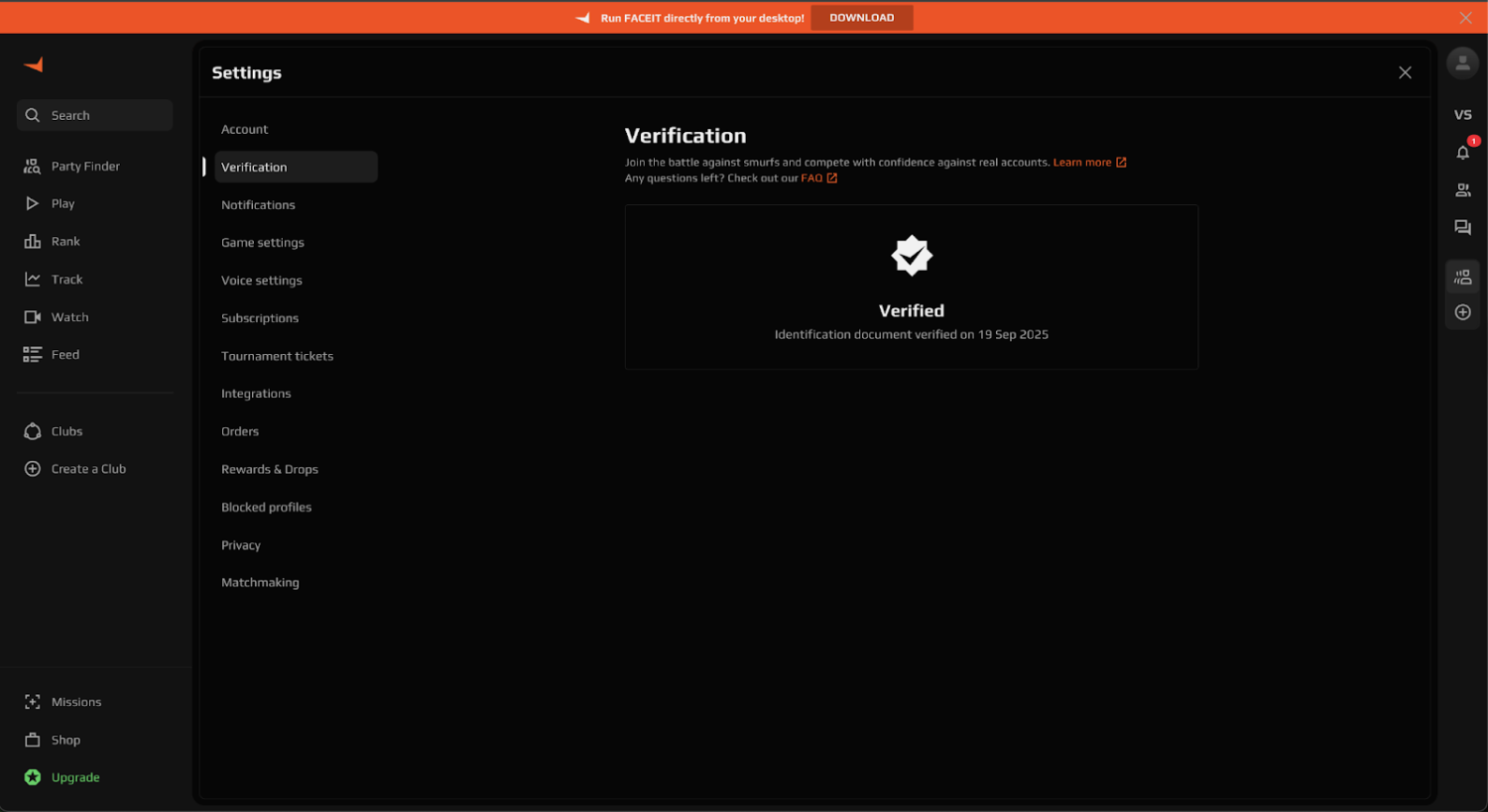
Once a player completes FACEIT verification, one of two badge types appears on their profile. The white badge is the standard one, awarded to all users who complete identity verification. The gold badge is assigned to professional players, streamers, and public figures to prevent impersonation. Both badges are visible to all users on the platform.
Without the white badge, Premium Match is locked – that's been an official rule since November 2025. Most official FACEIT tournaments and open qualifiers also require verified status. Basic matchmaking technically remains accessible, but an unverified account's options get narrower with every update.
What to Prepare Before Starting FACEIT Verification
A few minutes of prep saves half an hour of troubleshooting errors. FACEIT's official guide explicitly lists the requirements without which the process won't go through – and most first-attempt failures come down to players skipping these items. So it's worth checking everything before you open the verification page.
Before starting, make sure you have the following ready:
A smartphone with a working camera – the entire process runs through your phone, there's no getting around it. Older devices may not be supported.
A valid government-issued ID – a passport, national ID, or driver's license. It must be the original document and must not be expired.
Good lighting – FACEIT specifically emphasizes this in their official guide. A dark room or backlighting will cause a rejection at the selfie stage.
The correct country selected in the settings – during verification you need to manually select the country that matches the one on your document. This doesn't sync automatically with your account settings.
That last point is the most common reason for failing on the first attempt. Players click through without checking, the country is wrong, the document fails – and they have to start over. It's worth double-checking this before you proceed.
How to Complete FACEIT Verification for CS2 – Step by Step
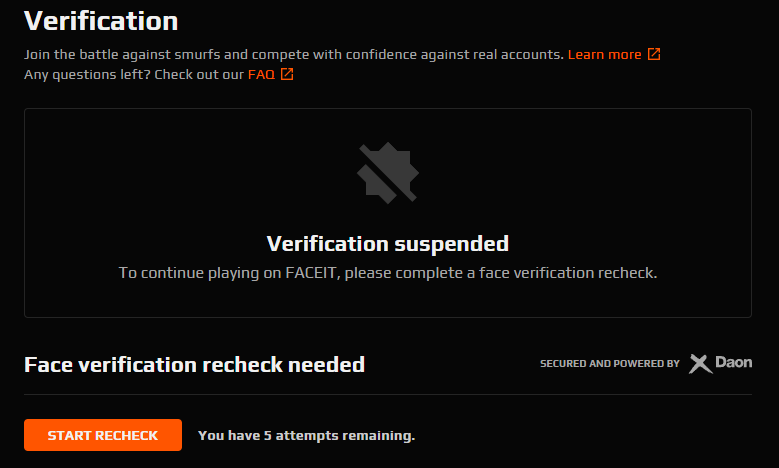
One thing to understand right away: you're verifying your FACEIT account, not a specific game profile. The badge applies across all games on the platform – CS2, Dota 2, and others. There's nothing separate to do for a specific game. The process consists of four official steps.
Here's how the full FACEIT verification process looks from start to finish:
Go to your FACEIT account settings → find the 'Verification' section → click the start button.
Scan the QR code that appears on screen with your smartphone. The Daon service page will open in your phone's browser.
Take a passport-style selfie – neutral expression, even front lighting, no glasses, hats, or headphones.
Scan the correct page or side of your ID document using the phone's camera.
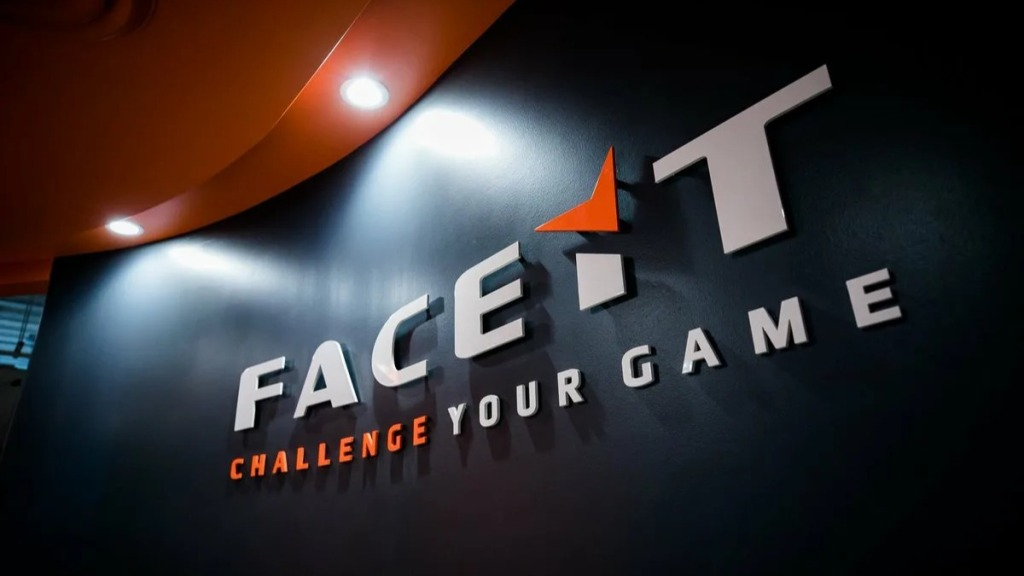
After submitting, the system processes the result. The 'In progress' status while you wait is completely normal – don't panic or restart the process. Once the check is complete, just refresh the page – the badge will appear on your profile automatically. Only one account can be verified per person – that's a hard limit imposed by FACEIT.
How Does the Phone Verification Process Work?
The way the system works can seem a bit confusing at first. A lot of players assume the whole thing happens on their computer – it doesn't. You initiate the process from your PC or laptop, but the actual verification has to happen on a phone – the system uses the smartphone's live camera for face capture and document scanning, and there's no way around this.
The flow is simple: open the verification page in a browser on your computer, get a QR code, scan it with your smartphone – and from that point everything continues in the phone's browser. No separate app required. If your own device is too old and isn't supported, FACEIT's official documentation explicitly allows you to borrow a phone from a friend or family member. But only the device can be borrowed – the photos must be taken by the account owner, not anyone else.
Can You Verify Without a Passport – What Documents Are Accepted?
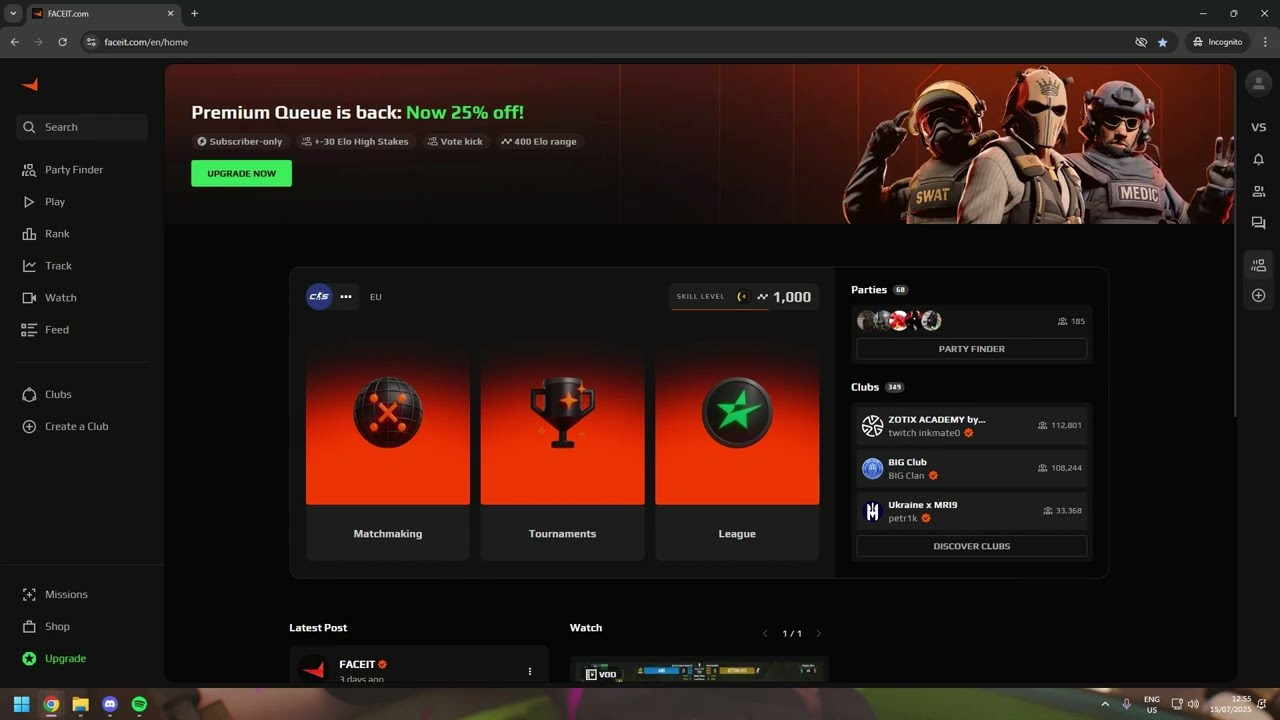
The question of how to verify on FACEIT without a passport comes up often – especially among players whose passport is expired or unavailable. The honest answer: you can't do it without a document at all. FACEIT requires a government-issued ID – that's not an optional step. But a passport isn't the only option.
The system accepts several types of documents:
Passport – the universal option, works for most countries.
National ID – accepted where supported.
Driver's license – also country-dependent.
The exact list of accepted documents for each country is on the official FACEIT Support page – 'Accepted Documents for ID Verification'. The list is updated periodically, so check it directly rather than relying on forum tips. Using someone else's documents is strictly prohibited: it's a direct violation of platform rules and results in an account ban. Verification is tied to a specific individual – and the system will check this down the line.
How Long Does FACEIT Verification Take?
Waiting for the result after submitting is the most stressful part for most players, especially if you need the badge urgently before a tournament. According to FACEIT Support, verification in most cases takes anywhere from a few minutes to 15 minutes. During peak periods there may be delays, but it usually wraps up in a single session.
While the check is running, your account shows 'In progress' – that's normal, don't restart the process. The status will update automatically once it's done. If the page hasn't refreshed on its own after the process clearly finishes, a manual refresh is all it takes.
How to Reverify on FACEIT – What Is the Selfie Recheck?
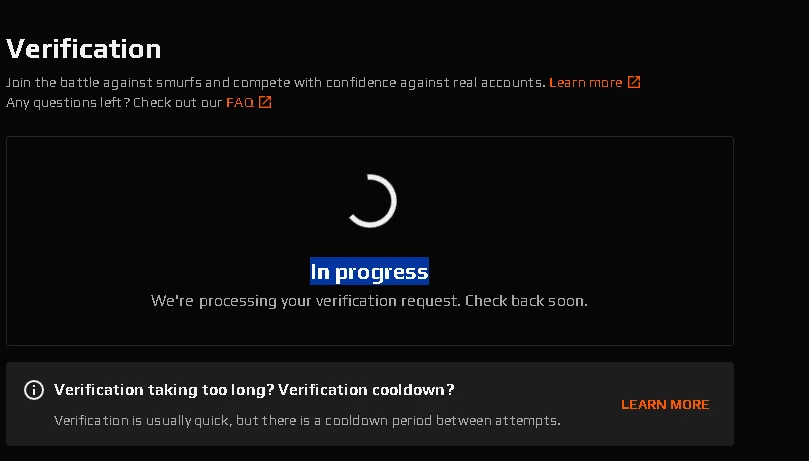
Since November 2025, FACEIT has introduced periodic identity re-checks – the Selfie Recheck. The reason is clear: previously it was possible to verify an account using someone else's passport, sell it, and the system wouldn't catch it. Now the platform can demand identity re-confirmation at any time – especially if an account's behavior looks suspicious.
When an account is flagged for a re-check, a notification appears in the FACEIT interface and a pop-up appears when you try to queue for a match. Matchmaking access is blocked until the process is completed. Re-verifying is simpler than the initial process – no document scan required, just a new selfie via QR code.
Key conditions for the Selfie Recheck:
You get 5 attempts. Failing all five means losing your verified status and matchmaking access.
Minor changes in appearance (haircut, beard, glasses) are generally handled fine by the system.
Significant changes are a reason to contact FACEIT support directly.
Completing a Recheck for someone else is impossible: the system compares the face against the original verification.
FACEIT explicitly recommends not putting off the Recheck: the longer you ignore the notification, the longer your account stays locked from play. This isn't something to leave until tomorrow.
Can Players in Russia Complete FACEIT Verification?
Completing FACEIT verification in Russia is technically possible – the platform doesn't block users by geography. FACEIT accepts the standard document types: passport, driver's license, and national ID. The exact up-to-date list of accepted documents for Russia should be checked on the official FACEIT Support page 'Accepted Documents for ID Verification' – the list is updated periodically.
The main practical point for Russian players: make sure the country selected in the verification settings matches the country on your document. This isn't tied to your IP address or synced with your account – you need to check it manually every time before starting.
Is Verification Mandatory and Can You Play Without It?
The question of how to skip FACEIT verification and still have full functionality is becoming increasingly rhetorical. Technically, identity verification remains free and optional for basic matchmaking. But with every platform update, an unverified account gets fewer options.
Without verification, Premium Match is locked – that's been official since November 2025. Most official tournaments and qualifiers also require the badge. On top of that, FACEIT reserves the right to demand identification from accounts suspected of unsportsmanlike behavior. Technically you can get by without verifying – but at that point it's not really the FACEIT worth playing for.
Common Errors and How to Fix Them
Most problems that come up during FACEIT verification have the same root causes – and all of them are fixable. FACEIT reports the error type after each failed attempt, so troubleshooting is straightforward once you know what to look for. FACEIT Support's official 'Common Errors' page covers all the typical scenarios.
Here's what most commonly goes wrong:
Wrong country selected – doesn't match your document. Check manually before starting.
Poor lighting for the selfie – the system can't recognize your face. You need bright, even front lighting.
Wrong page of the document – scan the correct side or spread.
Device too old – use a phone borrowed from a friend or family member.
QR code not displaying – switch to a different browser.
Status stuck on 'In progress' – don't restart, just refresh the page once the process finishes.
These errors account for the overwhelming majority of cases where FACEIT verification fails on the first try. If none of the listed solutions work, FACEIT Support has a team that handles non-standard cases manually.
Verification Complete – What's Next?
The white badge will appear on your profile as soon as the check completes successfully. This unlocks full access to Premium Match and official tournaments, and protects the account from the usual account-selling schemes. Once FACEIT verification is done, the only thing left is to play.