Effective Counter-Strike 2 training starts with choosing the right map for the job, and the best CS2 bot maps in 2026 cover everything from raw aim and reaction time to game sense and tactical decision-making. Specialized Workshop maps have become a core part of how both beginners and pro players prepare — not just a nice extra, but a genuine training staple. This guide breaks down the proven maps that actually move the needle, and shows you how to get the most out of them.
Why Use Training Maps Instead of Just Playing Matches?
A lot of players wonder: why bother with CS2 bot maps when you could just queue up and play? The answer is control. Specialized training maps give you something ranked matches never can — full control over your practice conditions. You set the difficulty, you choose what to focus on, and there's no rating on the line to stress you out.
The biggest advantage is pure repetition. Training maps let you drill the same action over and over until it's locked into muscle memory. Want to sharpen your AWP flicking? Load up a map and shoot moving targets for an hour straight. Struggling with AK-47 spray control? A dedicated recoil map will show your bullet path in real time and help you internalize the pattern.
Table 1: Training Method Comparison
Factor | Bot Training Maps | Regular Matches |
Difficulty control | Full control over bot settings | Random opponents |
Skill focus | Isolate and drill one element | Full-game complexity |
Pressure and stress | None | High (rating, teammates) |
Session length | Unlimited | 30–50 minutes per match |
Repetition | As many reps as you want | Situational, hard to replicate |
This is exactly why pros dedicate several hours a week to Workshop maps. They know that mastery is built on deliberate repetition of fundamentals — not just racking up match count.
Aim Botz — The Timeless Aim Training Standard
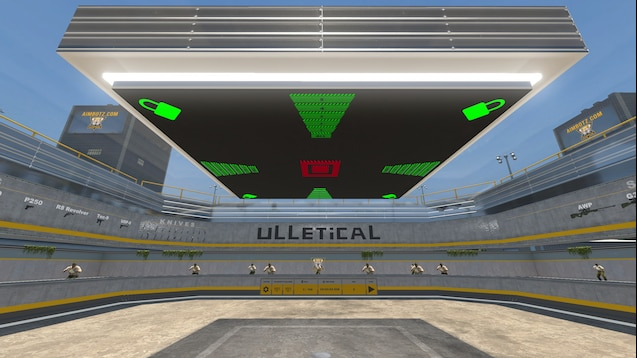
When it comes to CS2 aim training maps with bots, Aim Botz by Mr. uLLeticaL is the first name that comes up — and for good reason. It's become the industry standard, used by millions of players as their daily warmup routine. With over 11 million Steam Workshop subscribers, the numbers speak for themselves.
Aim Botz is built around a simple but highly effective concept: you stand in the center of a compact arena while bots spawn around you. Almost everything is configurable — from how fast the bots move to whether they're wearing armor. One of its standout features is the peek walls mode, which lets you practice quick peeks from cover — a mechanic that comes up constantly in real matches.
Key features include unlimited ammo, a full weapon selection menu, and the ability to toggle individual arena sections on and off using buttons on the ceiling. This lets you zero in on specific angles or engagement distances depending on what you're working on.
Table 2: Aim Botz Settings
Feature | Options |
Bot movement | Toggle on/off |
Bot armor | Kevlar+Helmet optional |
Peek mode | Walls for peeking practice |
Ammo | Unlimited |
Map sections | Toggle 4 zones independently |
Audio test | Random target spawns with audio cues |
Beginners should start with stationary bots and no armor, then gradually raise the stakes. Experienced players typically train with moving bots in full kit, which closely mirrors what you'll face in an actual match.
Yprac Hub — The All-in-One Training Platform
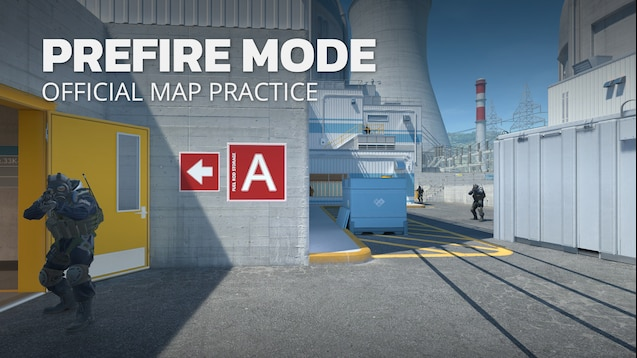
Where Aim Botz focuses purely on shooting mechanics, Yprac Hub by Yesber takes a more comprehensive approach — covering every aspect of CS2 skill development in a single map. It's genuinely changed how players train in CS2, bringing together multiple practice modes under one roof.
The Prefire mode lets you drill pre-aiming on every popular competitive map. It comes with three bot difficulty settings and hundreds of spawn position variations per map, so the scenarios never feel stale. You can narrow it down to one specific section — say, just A site on Mirage — and methodically work through every possible angle until it's second nature.
The Utility mode makes learning grenades genuinely enjoyable. Instead of pausing your game to look up smoke lineups on YouTube, you can load into Yprac and see every setup in-game with step-by-step guidance. The Shortcuts mode covers advanced movement routes and tricky jumps across all the competitive maps.
Table 3: Yprac Hub Modes
Mode | Purpose | Highlights |
Prefire | Pre-firing and pre-aiming | 3 difficulty levels, high spawn position variety |
Utility | Grenade training | Smokes, flashes, and molotovs across all maps |
Shortcuts | Movement training | Advanced jumps and routes |
Sandbox | Free practice | Additional tools |
For players looking for a CS2 map with genuinely tough bots, Yprac's difficulty system delivers. At the highest setting, bots react almost instantly and shoot with real precision — a serious test even for experienced players. The map also integrates with a Windows client that tracks your stats and lets you compete with friends on leaderboards.
Fast Warmup — Get Ready in 5 Minutes
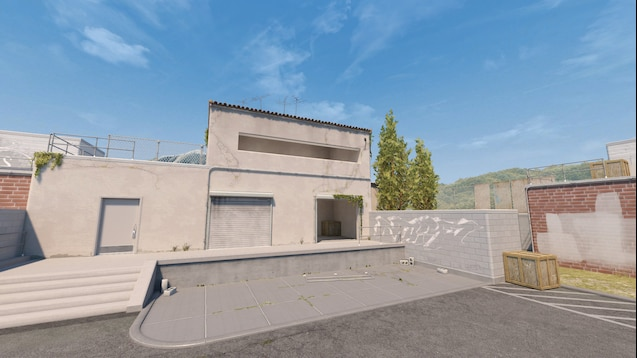
Not every session calls for a full training block, and that's where Fast Warmup comes in. This CS2 map is built specifically for a quick warmup before you queue up — and its standout feature is being launchable right from the queue lobby while you're waiting for a Premier or Matchmaking game to pop.
The map offers three warmup modes, each targeting something specific. Range mode has three distance settings for shooting stationary targets to dial in your aim. Rush mode throws running targets at you to train your reflexes. The mixed mode blends both for a more complete pre-game warmup.
Everything is controlled through interactive buttons directly on the map — no console commands needed. Weapon selection works by shooting the weapon icons on the wall, which saves time. A lot of pros run Fast Warmup for 5–10 minutes before every session to get their hands loose and their aim sharp.
Recoil Master — Spray Control for Every Weapon
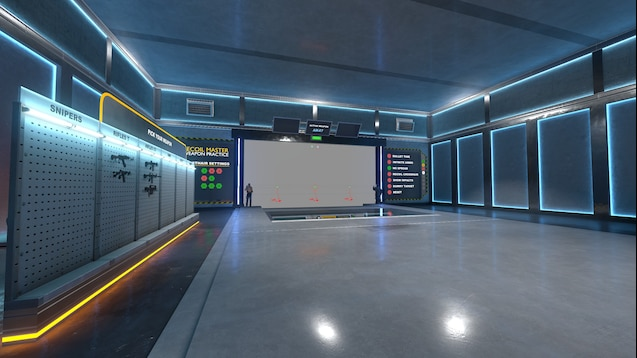
Spray control is one of the most common weaknesses among CS2 players, and Recoil Master by Mr. uLLeticaL tackles it through direct visual feedback. The map displays your bullet trajectory in real time and shows you exactly where your mouse needs to go to compensate for each weapon's recoil pattern.
What sets Recoil Master apart is that you don't need bots here — the whole focus is on shooting mechanics. You fire at wall targets with silhouettes on them, and the map shows you how well you're controlling your spray. Every weapon has its own dedicated training mode, so you can systematically work through the entire arsenal.
New players should start with the AK-47 and M4A4, since these are the weapons you'll be holding in most rounds. Once you've got the core patterns down, you can move on to trickier options like the SG 553 or AUG. The map is available in the Steam Workshop under ID 3100869952.
DHL CT Training Map — Holding Under Pressure
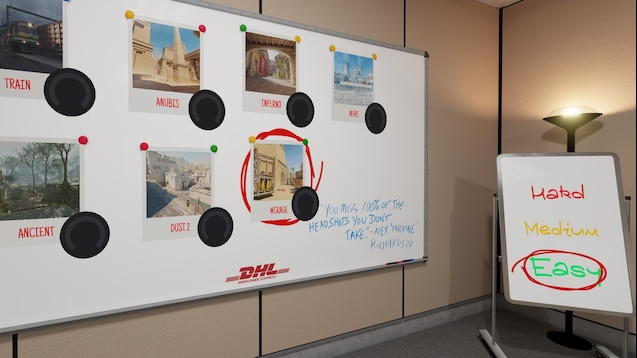
For players who want to train holding positions against overwhelming numbers, DHL CT Training Map puts you under real pressure — simulating exactly what it feels like to anchor a site against a full five-man push.
The concept is simple but brutally effective: you pick a popular map and a defensive spot, then bots come in waves of five. Each wave cranks up the difficulty — opponents get more accurate and more aggressive. You have to use your utility properly, play your angles smart, and know when to give ground if you want to survive.
After each session, the map calculates your equivalent FACEIT level based on your performance, giving you a concrete, objective measure of how well you're holding. Over 635,000 Steam Workshop subscribers back up how effective this approach is. This type of CS2 bot map is especially valuable for players who spend a lot of time playing the CT side.
How to Install and Launch Workshop Maps
Installing CS2 Workshop maps is straightforward, though first-timers sometimes have questions. Here's a step-by-step rundown for anyone new to training maps.
Start by opening Steam and heading to the Counter-Strike 2 Workshop page. You can search for a map by name, or go directly to it if you have the Workshop ID. Once you find the map, hit the green Subscribe button and it'll download automatically in the background.
Once it's downloaded, launch CS2 and go to the Play menu. Look for the Workshop Maps section — this is where all your subscribed maps show up. Select the one you want and launch it through a Private Match, making sure to set the game mode to Custom.
One thing worth noting: the bot difficulty setting in the match lobby doesn't matter much for most training maps, since they run their own internal bot management systems. Just make sure you don't select "No Bots," as that can cause some maps to behave incorrectly. Once the map loads, you'll usually see a "Jump to Start" prompt — pressing Space teleports you to the map's main menu.
Adjusting Difficulty and Managing Bots
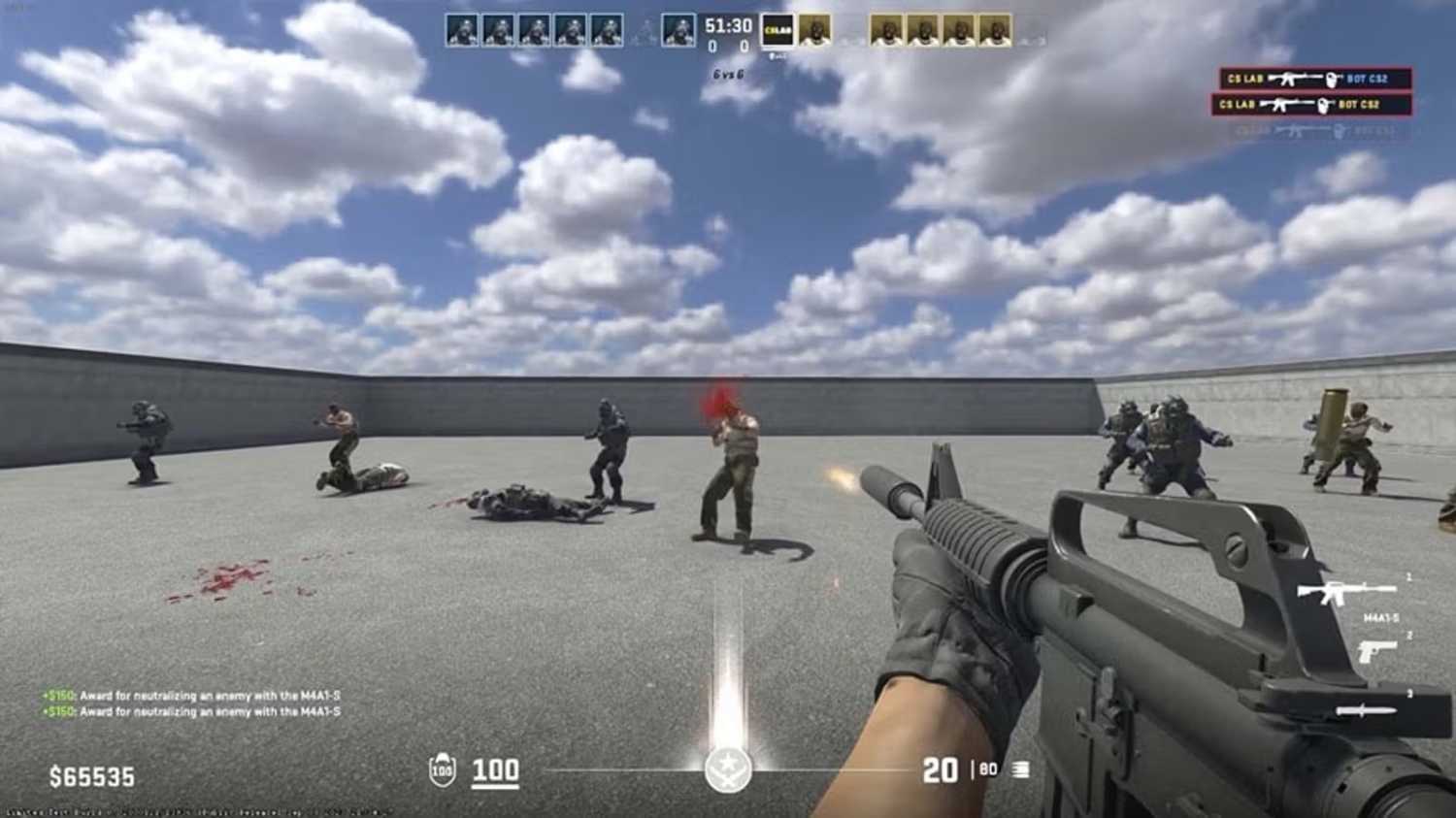
To get the most out of your training sessions, it's worth knowing how to dial in bot difficulty manually. CS2 offers several console commands for bot management that work on most maps. Open the console with the ~ (tilde) key, as long as it's enabled in your settings.
The core command is bot_difficulty, which accepts values from 0 to 3: 0 is the most passive (bots barely shoot), and 3 is expert level (high accuracy, fast reactions). Some custom maps and configs support extended settings beyond this range, but that varies by setup.
Table 4: Bot Console Commands
Command | Description |
bot_difficulty [0-3] | Sets base difficulty level |
bot_add | Add a random bot |
bot_add_t | Add bot to Terrorist side |
bot_add_ct | Add bot to CT side |
bot_stop 1 | Freeze all bots in place |
bot_place | Spawn a bot at your crosshair |
bot_stop 1 is particularly useful for pre-fire training — freeze bots at specific positions and practice snapping to each one precisely. Run bot_stop 0 when you want them moving again. bot_place spawns a bot exactly where your crosshair is pointing, which is great for building custom practice scenarios on the fly.
Some commands require cheat mode to be active via sv_cheats 1, but this only works on your own server or in offline mode. On official Valve servers, these commands are locked for obvious reasons.
How to Clear Bots When They're Getting in the Way
There are times during training when you just need the bots gone — working on grenade lineups, studying map movement, or freeing up slots when friends join. It's a common situation, and the solution is simple.
There are a few scenarios where clearing bots becomes necessary. When practicing grenades, bots can accidentally walk into the flight path or break your concentration. When you're exploring a map solo, constant firefights make it hard to focus on learning the layout. And when friends connect for a joint session, bots fill up team slots that need to be freed up.
The basic bot_kick command instantly removes all bots from both sides. To clear just one team, use bot_kick t for Terrorists or bot_kick ct for Counter-Terrorists. To remove a specific bot, run bot_kick [name] — you can see each bot's name floating above their head at the start of every round.
Table 5: Bot Removal Commands
Command | Effect |
bot_kick | Removes all bots |
bot_kick t | Removes Terrorist bots |
bot_kick ct | Removes CT bots |
bot_kick [Name] | Removes a specific bot |
bot_quota 0 | Sets the bot count limit to 0 |
bot_quota 0 sets the maximum bot count to zero, which stops the game from auto-adding bots in subsequent rounds. This is especially useful when you're planning a longer solo session with no bots at all. To bring bots back, just set the quota to whatever number you need — for example, bot_quota 10.
Choosing the Right Map for Your Goals
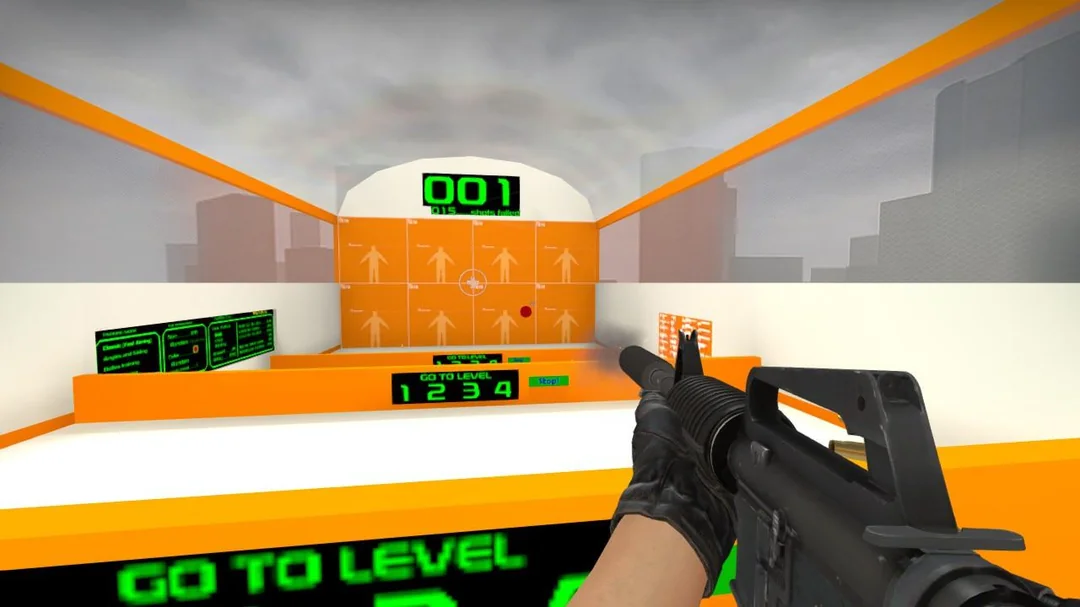
The right map depends entirely on what you're trying to improve. The best CS2 bot maps each specialize in different areas, and understanding what each one does well is key to building a training routine that actually works.
If you're focused on pure accuracy and shooting mechanics, Aim Botz is your go-to. It strips everything else away and puts all the focus on aim. Running 10–15 minutes on it before every session is a solid habit to build.
If you want to develop all-around skills — grenades, positioning, map knowledge — Yprac Hub becomes an essential part of the toolkit. The Prefire mode is particularly valuable for players who play a small pool of maps and want to memorize every common angle and learn how to beat them consistently.
Table 6: Map Comparison
Map | Primary Focus | Bot Difficulty | Session Length |
Aim Botz | Shooting accuracy | Medium | 10–15 min |
Yprac Hub | All-around skill development | 3 levels | 20–30 min |
Fast Warmup | Quick warmup | Adjustable | 5–10 min |
Recoil Master | Spray control | Not required | 15–20 min |
DHL CT Training | Site holding | High | 15–25 min |
If you're just starting out, Aim Botz and Recoil Master are the right entry points — get your shooting fundamentals solid first. Once you're comfortable with the weapons, move on to more complex maps like Yprac Hub and DHL CT Training, which demand tactical awareness and map knowledge on top of mechanical skill.
Final Thoughts
CS2 bot maps aren't just for casual warmups — they're a legitimate tool for meaningful skill development. Pro players dedicate a real portion of their training time to Workshop maps, drilling fundamentals until they're completely automatic. Consistent 15-minute sessions on Aim Botz or Yprac Hub will do more for your game than grinding unranked matches without any clear focus.
For the best results, mix different types of maps into your routine. Open each session with 10 minutes on Aim Botz to get your aim dialed in, then spend 15 minutes on Yprac Hub working through whatever situations have been giving you trouble in your matches. That combination covers both mechanical and tactical development, and the improvement compounds over time.
All the maps covered here are free on the Steam Workshop and get regular updates from their creators. Start with the simpler ones, raise the difficulty as you progress, and within a month of consistent training you'll notice a genuine difference in both your aim and your read of the game.